Sky Falling AI

Trending Sky Falling AI Filters
Each filter bakes in a different cloud palette, camera path, and motion feel, and every one of them runs end-to-end inside the CoupleLens App.
Watch Sky Falling AI in Action on CoupleLens
These two short walkthroughs show real creators running the sky falling AI filter inside the CoupleLens App, from upload to posted clip.
Key Features of Sky Falling AI Video Generation
Pick a sky falling AI filter, drop in one full-body photo, and let CoupleLens handle the rest of the pipeline.
 Before
 After
One-Tap Sky Fall Pipeline from a Single Portrait
CoupleLens takes one clear full-body photo and returns a finished vertical sky falling AI clip in one render pass. The App picks the wide tumble frame, builds the close-up freeze, interpolates the descent, and exports a 9:16 clip ready to post. Creators skip the two-tool, four-prompt workflow that other sky falling AI tools force on them.
 Before
 After
Identity Lock Through the Whole Fall
CoupleLens keeps the uploaded face, hairstyle, and outfit steady from the wide sky shot all the way to the slow-motion landing. The sky falling AI filter records facial landmarks before the first frame, so the same person is recognizable at every cloud layer. No face swap surprise and no drift halfway down.
 Before
 After
Trend-Ready Filter Library Updated Daily
The library already lists more than 25,000 ready-to-use filters, and the sky falling AI drop set refreshes every day. Sunset Drift, Golden Hour, Cotton Dream, Cyber Drift, Ghibli Air, and Cinematic Reel sit beside hundreds of other face-forward filters, so creators can match a platform trend the day it trends instead of the week after.
Real Sky Falling AI Outputs from Real CoupleLens Creators
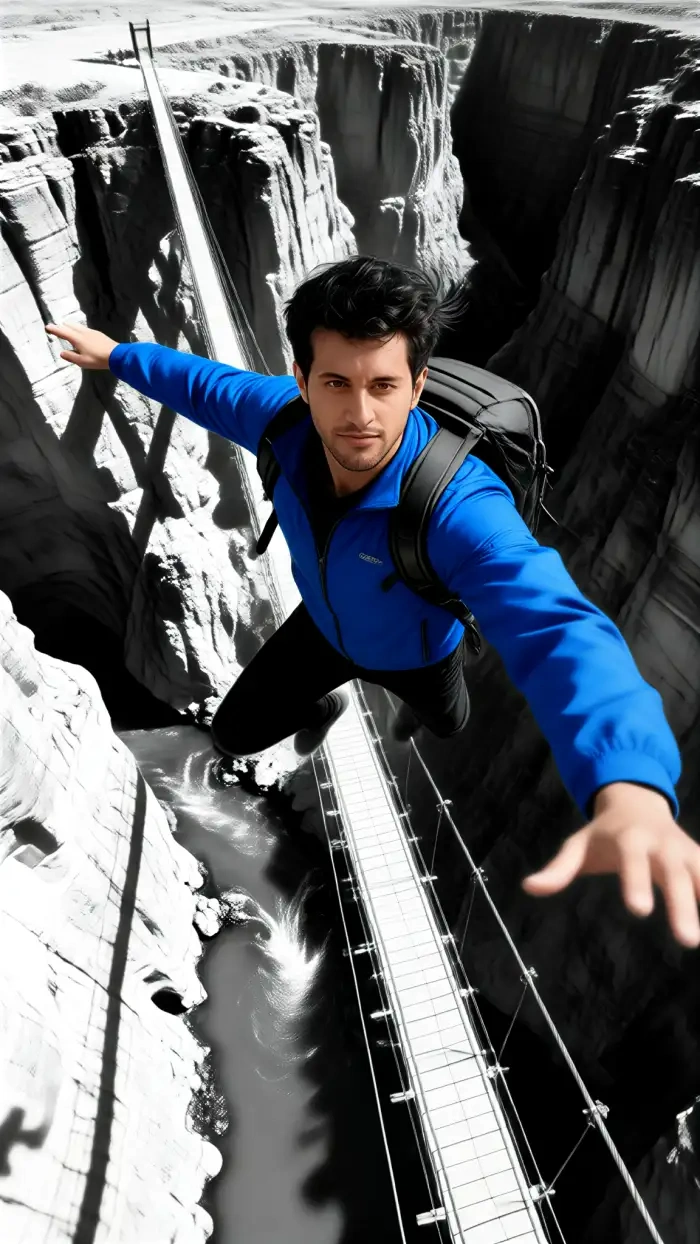
CoupleLens creators ship sky falling AI clips every day across TikTok, Reels, and Shorts. Browse a small sample of the looks already trending inside the App.




How to Create a Sky Falling AI Video?
CoupleLens ships the sky falling AI effect as a one-tap filter, so the path from photo to posted clip is three short steps inside the App.
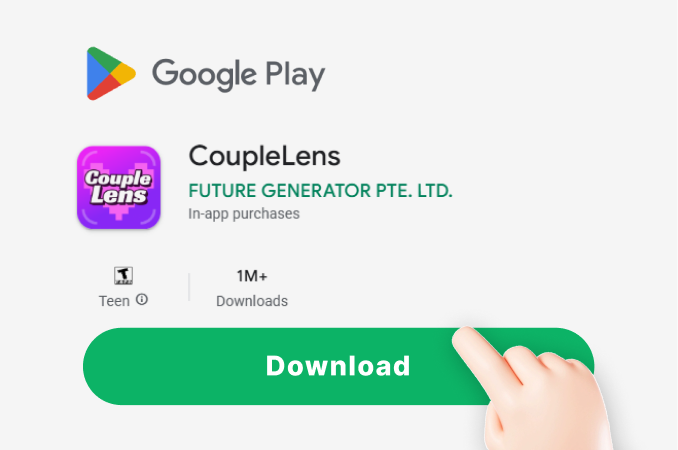
Step 01.
Tap the App download link and install CoupleLens on Android. The sky falling AI tool lives inside the App, alongside every other CoupleLens filter, so you only need one install.
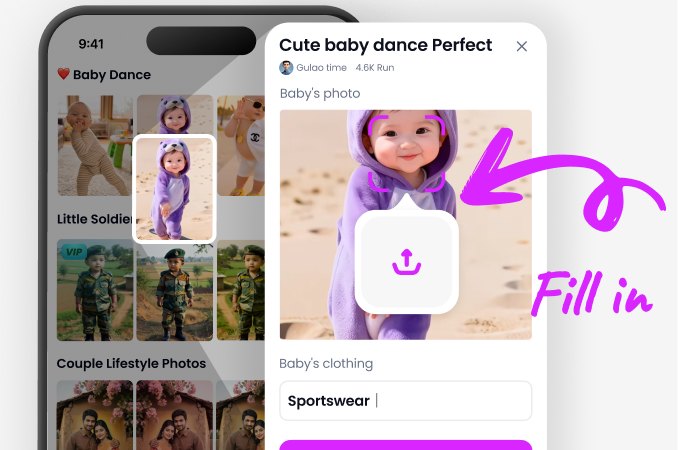
Step 02.
Open CoupleLens, find the sky falling AI filter cluster, and pick a style such as Sunset Drift or Ghibli Air. Upload one clear full-body portrait, front-facing or at a three-quarter angle.
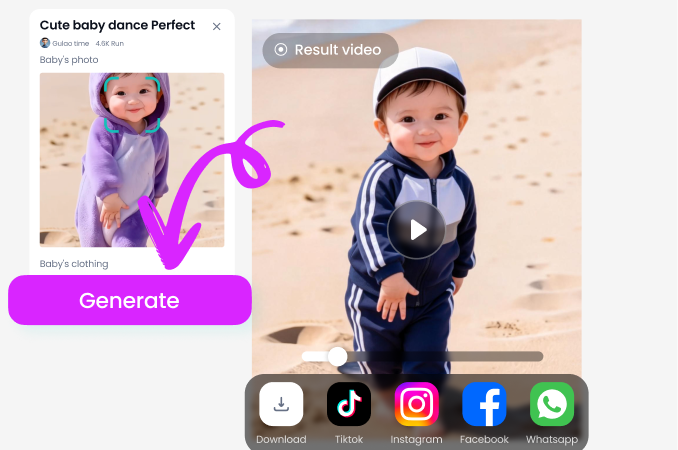
Step 03.
Preview the sky falling AI render inside CoupleLens. Save it to your phone, or tap publish and the clip goes straight to your CoupleLens creator page.
What Our Users Say about Sky Falling AI on CoupleLens
Try the sky falling AI filter once and you will not go back to prompt boxes.
I uploaded a backlit portrait from a friend shoot. CoupleLens handed me a vertical slow-mo sky falling AI clip in about fifteen seconds. My face still looked like me at the close-up, which is a first.
Skip the two-tool setup. Open CoupleLens and the sky falling AI clip is one tap away.
I needed two dancers falling through a shared sunset for a promo reel. The multi-person sky falling AI pass inside CoupleLens kept both of their faces clean and locked through the entire drop.
Reach for CoupleLens first when a client asks for a sky falling AI video.
I run portrait sessions every weekend. CoupleLens turned a still from one bride shoot into a sky falling AI short that her guests kept replaying on the WhatsApp group. The face held up the whole way down.
Frequently Asked Questions
Find clear answers to common questions and get the guidance you need to create the sky-falling AI photos and videos.
More Topics You May Like
Once you ship your first sky falling AI clip, the rest of CoupleLens is one swipe away.

CoupleLens Baby Krishna AI Photo Generator: Create Janmashtami Portraits

CoupleLens Face Bandage AI Photo Generator: Ship First Face Bandage AI Photos
CoupleLens Beard Remover AI: See Your Clean Shaven Look in Seconds
CoupleLens Pixel Image Converter: AI Pixel Avatar Generator on Mobile
CoupleLens Baby Krishna AI Photo Generator: Create Janmashtami Portraits
CoupleLens Face Bandage AI Photo Generator: Ship First Face Bandage AI Photos
CoupleLens Beard Remover AI: See Your Clean Shaven Look in Seconds
CoupleLens Pixel Image Converter: AI Pixel Avatar Generator on Mobile
Drop Your Photo Through the Clouds Today
Tap into a sky falling AI filter inside CoupleLens, render in roughly fifteen seconds, and post the clip while the trend still lives on the For You feed.
Drop Your Photo Through the Clouds Today
Tap into a sky falling AI filter inside CoupleLens, render in roughly fifteen seconds, and post the clip while the trend still lives on the For You feed.