Why Golden Hour Is Every Photographer's Secret Weapon
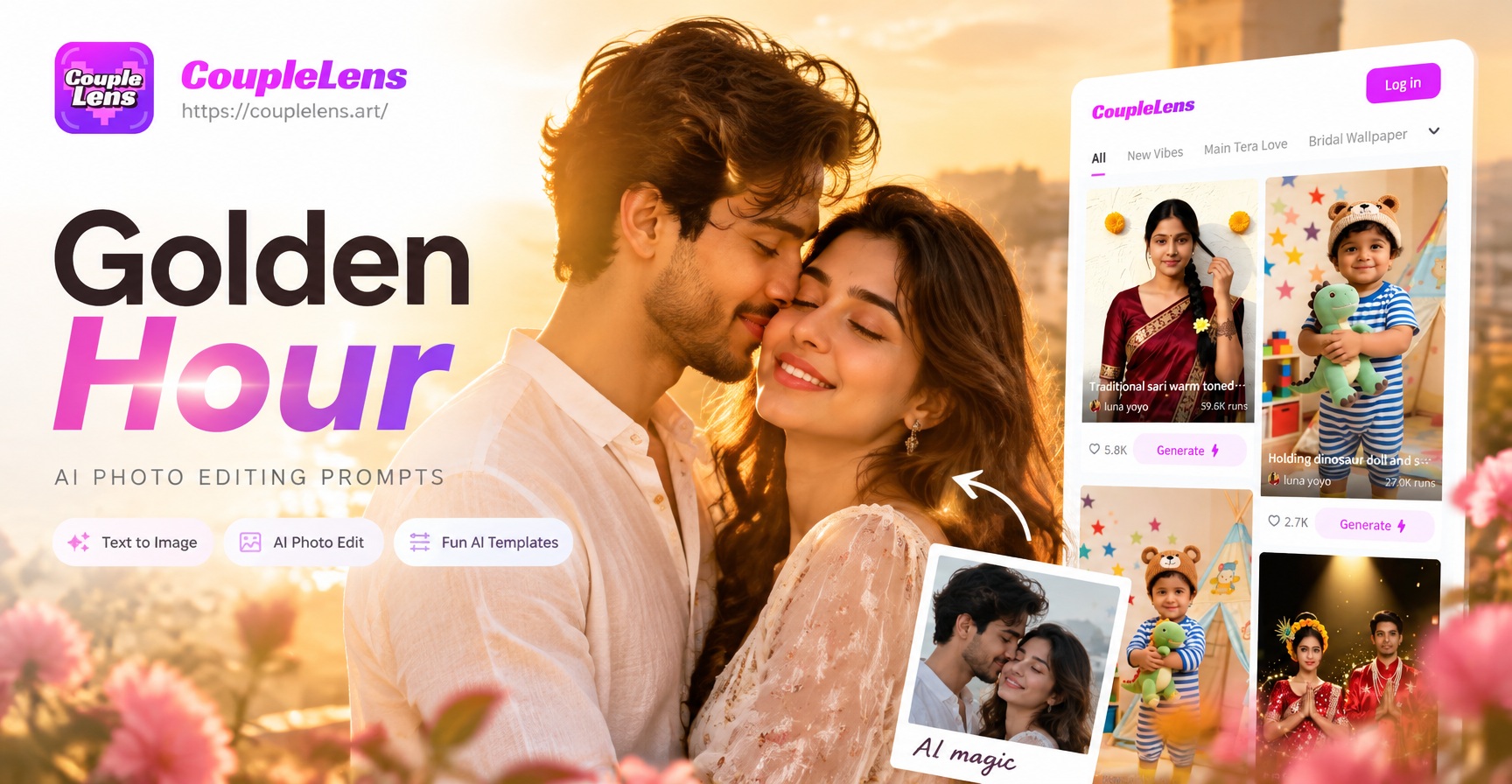
Golden hour refers to the brief window shortly after sunrise and just before sunset when sunlight travels through more of the Earth's atmosphere. This scatters blue light and lets warm reds, oranges, and soft yellows dominate. Shadows become longer and softer, skin tones glow, and even mundane scenes take on a cinematic quality.
Professional photographers plan entire shoots around golden hour. But weather, location, and schedules often get in the way. That is exactly where AI photo editing comes in. With the right prompts, you can recreate that coveted golden hour look on any photo, at any time of day, without waiting for the sun to cooperate.
How AI Recreates Golden Hour Lighting
Modern AI image models understand lighting descriptions at a surprisingly deep level. When you use terms like "warm backlight," "rim lighting," or "soft diffused sunlight," the model reconstructs the visual characteristics of those conditions. The best results come from combining three elements: a reference photo, a clear lighting directive, and a style descriptor.
For example, uploading a portrait and prompting "transform to golden hour, warm sunlight from behind, soft orange glow on hair edges, gentle lens flare, warm color palette" produces dramatically different results than simply saying "make it look sunny." Specificity is everything in AI prompt engineering.
Core Elements of a Great Golden Hour Prompt
Effective golden hour AI prompts share a common structure. Breaking your prompt into clear sections helps the model understand exactly what you want.
1. The Lighting Directive
This is the most important part of your prompt. Describe the source, direction, and quality of light. Some proven phrases include:
- Backlit by warm golden sunlight
- Soft diffused sunset light from the left
- Low angle sun casting long warm shadows
- Rim light tracing the silhouette in amber tones
- Sun flare peeking through the background
The phrase "backlit" is especially powerful because it tells the AI to place the light source behind the subject, which creates that signature halo effect on hair and shoulders that golden hour is famous for.
2. The Color Palette Instruction
Golden hour is as much about color as it is about light. Guide the AI with explicit color cues:
- Warm amber and honey tones
- Soft peach highlights with deep orange shadows
- Muted golds balanced with pastel blues in the background
- Sunset gradient shifting from warm orange to cool purple
- Golden bronze skin tone enhancement
3. The Atmosphere and Mood Descriptor
Atmosphere separates a flat edit from a cinematic one. Words like "dreamy," "nostalgic," "serene," or "romantic" push the AI toward a specific emotional register. Combining atmosphere with lighting creates layered results. For instance, "dreamy golden hour at a beach, soft waves glowing with reflected sunset light, peaceful and nostalgic mood" produces far richer output than a simple lighting prompt.
Proven Golden Hour Prompt Formulas
Here are several battle tested prompt formulas you can copy, paste, and modify for your own photos. Each one targets a different scenario.
Portrait Formula
"Transform this portrait into a golden hour photograph. Backlit by warm setting sun. Soft orange rim light tracing the hair and shoulders. Skin tones warmed to a natural bronze glow. Background gradually fading into a warm amber haze. Subtle sun flare in the corner. Cinematic and romantic mood."
This formula works well for headshots, couple photos, and individual portraits. The key is the rim light instruction, which creates natural separation between the subject and the background.
Landscape Formula
"Recreate this landscape during golden hour. Low angle sunlight streaming across the scene. Long soft shadows stretching toward the foreground. Warm honey tones on highlights. Sky transitioning from pale gold to soft lavender. Misty atmosphere with gentle sun rays. Peaceful and expansive mood."
Landscape golden hour is all about the quality of scattered light and shadow length. Asking for "long soft shadows" signals a low sun angle that is characteristic of the hour.
Couple or Group Photo Formula
"Apply a golden hour filter to this group photo. Soft warm sunlight wrapping around each person. Consistent golden glow across all faces. Background bathed in warm amber tones. Natural skin textures preserved. Gentle sun flare that does not obscure any faces. Joyful and intimate atmosphere."
Group photos require special attention to consistency. The instruction "consistent golden glow across all faces" helps the AI maintain even lighting across multiple subjects rather than overexposing one person and leaving another in shadow.
Step by Step Workflow for Golden Hour Editing with CoupleLens
CoupleLens makes golden hour AI editing accessible even if you have never written a prompt before. The app combines a massive library of style filters with image-to-image editing, so you can achieve professional looking results in under a minute.
Step 1: Download the App and Upload Your Photo
CoupleLens is available on Google Play. Once installed, open the app and select the image-to-image editing option. Upload a clear, well lit photo as your starting point. Photos with visible faces and decent contrast respond best to golden hour transformations.
Step 2: Choose a Golden Hour Style Template
The app includes thousands of style filters across categories like cinematic, photography, and lifestyle. Browse the photography section and look for templates tagged with sunset, warm, golden, or film. Applying a template gives you an instant baseline that you can refine with text prompts.
Step 3: Refine with Custom Prompts
After applying a base style, add one of the prompt formulas above to fine tune the lighting, color palette, and mood. The combination of template and prompt gives you far more control than either method alone. Adjust the intensity slider if the app offers one, then generate your image.
Step 4: Download and Share
Export your edited photo in HD quality. Golden hour edits perform exceptionally well on social media because the warm tones naturally draw the eye. Instagram feeds, profile photos, and dating app pictures all benefit from the flattering glow.
Common Golden Hour AI Editing Mistakes to Avoid
Even with great prompts, certain mistakes can ruin an otherwise good edit. Here are the most common issues and how to prevent them.
Oversaturating the Image
Golden hour is warm, but it should not look like an orange filter was slapped on the entire photo. Avoid prompts that say "maximum warmth" or "completely orange." Instead, ask for balanced warm tones with natural color preservation. If the result looks too orange, regenerate with a prompt that includes "moderate saturation" or "natural skin tones preserved."
Ignoring the Original Light Source
If your original photo was taken at noon with harsh overhead lighting, adding a sunset filter without addressing the original shadows can create contradictions. The best results come from photos taken in softer light or from prompts that explicitly request the AI to "replace all original lighting with golden hour sunlight."
Forgetting About Skin Tone Realism
AI models sometimes push skin tones toward an unnatural orange when applying warm filters. Always include a skin tone preservation clause in your prompt. Phrases like "natural skin texture and tone maintained" or "realistic skin colors with subtle golden warmth" prevent waxy or overly orange complexions.
Creative Applications Beyond Basic Portraits
Golden hour AI editing is not limited to fixing lighting. The aesthetic can transform creative projects in surprising ways.
Product Photography
Warm golden light makes products look premium and inviting. E-commerce sellers can use golden hour prompts to create lifestyle shots that suggest late afternoon use scenarios. A coffee mug, for example, photographed in golden hour light suggests cozy mornings and relaxed evenings.
Concept Art and Character Design
Character designers can use golden hour prompts to establish mood in concept pieces. A warrior standing in a golden field at dusk, or a wanderer silhouetted against a setting sun, immediately communicates narrative through lighting alone. The emotional weight of the golden hour is universally understood.
Social Media Content Series
Content creators can maintain visual consistency by applying the same golden hour prompt formula across an entire feed. This creates a cohesive aesthetic that makes profiles instantly recognizable. The warm, aspirational quality of golden hour edits tends to drive higher engagement across platforms.
Advanced Prompt Combinations for Unique Results
Once you master basic golden hour prompts, experiment with combining the aesthetic with other styles for distinctive output.
Golden Hour Meets Film Photography
Add film related keywords to your prompt for a nostalgic, analog feel: "golden hour photography shot on Kodak Portra film, warm grain, soft halation, vintage color palette, gentle vignette." This combination evokes the look of classic film cameras and works beautifully for lifestyle and travel photos.
Golden Hour Meets Anime
For stylized illustrations, blend golden hour lighting with anime aesthetics: "anime style portrait, golden hour lighting, warm backlight, orange rim light, soft sunset glow, detailed eyes reflecting golden light, cinematic anime screenshot." The result reads as a still frame from a high budget anime film.
Golden Hour Meets 3D Clay
The trending claymation look pairs surprisingly well with warm lighting: "3D clay render, golden hour scene, warm sunlight on clay textures, soft shadows, playful and cozy atmosphere." This combination is especially popular for social media avatars and fun profile pictures.
Why CoupleLens Is the Best Tool for Golden Hour AI Editing
Many AI platforms require you to understand complex prompt engineering or pay for expensive subscriptions. CoupleLens simplifies the process without sacrificing quality. The app offers over one million style filters, so you can always find a starting point that matches your vision. The image-to-image feature preserves your subject's identity while transforming the lighting and atmosphere, which is essential for portrait work.
CoupleLens also supports group photo processing. If you want to apply golden hour lighting to a photo with multiple people, the app's multi-person recognition ensures each face receives consistent treatment. No more uneven lighting or ghosting artifacts on group shots.
Because everything happens on your phone, the workflow is fast. Upload, select a style, refine with a prompt, and export. The entire process takes under a minute for most images. Whether you are a casual user looking to enhance personal photos or a content creator building a consistent brand aesthetic, CoupleLens gives you the tools without the learning curve.
Frequently Asked Questions About Golden Hour AI Prompts
What exactly should I write in a golden hour AI prompt?
Start with a lighting directive like "backlit by warm sunset light." Add a color instruction such as "warm amber and honey tones." Finish with a mood descriptor like "dreamy and romantic." The more specific you are, the better the result. Avoid vague language like "make it warm" and instead describe the exact visual qualities you want.
Can AI truly recreate authentic golden hour lighting?
Yes, modern AI image models have been trained on millions of photographs and understand how golden hour light behaves. The results are often indistinguishable from photos actually taken during sunset. The key is using detailed prompts that specify light direction, shadow quality, and color temperature rather than generic filter language.
Do I need photography experience to use golden hour AI prompts?
No. The beauty of AI photo editing is that it encodes professional photography knowledge into simple text instructions. You do not need to understand aperture, shutter speed, or lighting ratios. You just need to describe what you want to see, and the AI handles the technical execution.
Which photos work best for golden hour AI transformation?
Photos with clear subjects, decent resolution, and relatively even original lighting produce the best results. Portraits with visible faces, landscape shots with distinct foreground elements, and group photos where everyone faces the camera all transform well. Avoid heavily compressed or extremely dark images.
How can I keep skin tones from looking too orange?
Include a skin preservation clause in your prompt. Phrases like "natural skin tones preserved," "subtle golden warmth on skin," or "realistic skin color with soft warm highlights" signal to the AI that it should not oversaturate complexions. If the first result is too orange, simply add one of these phrases and regenerate.
Can I use the same golden hour prompt for videos?
Yes. CoupleLens includes image-to-video generation, and the same prompt principles apply. Describe the lighting, color palette, and atmosphere you want in a video. Golden hour prompts work particularly well for short cinematic clips and social media content where atmospheric lighting drives engagement.
Is CoupleLens free to try?
CoupleLens is available on Google Play with both free and premium options. You can download the app, apply basic golden hour filters, and test the workflow at no cost. Premium features unlock higher resolution exports, advanced style templates, and more customization options for your golden hour edits.