Kasavu Saree Photo Editor
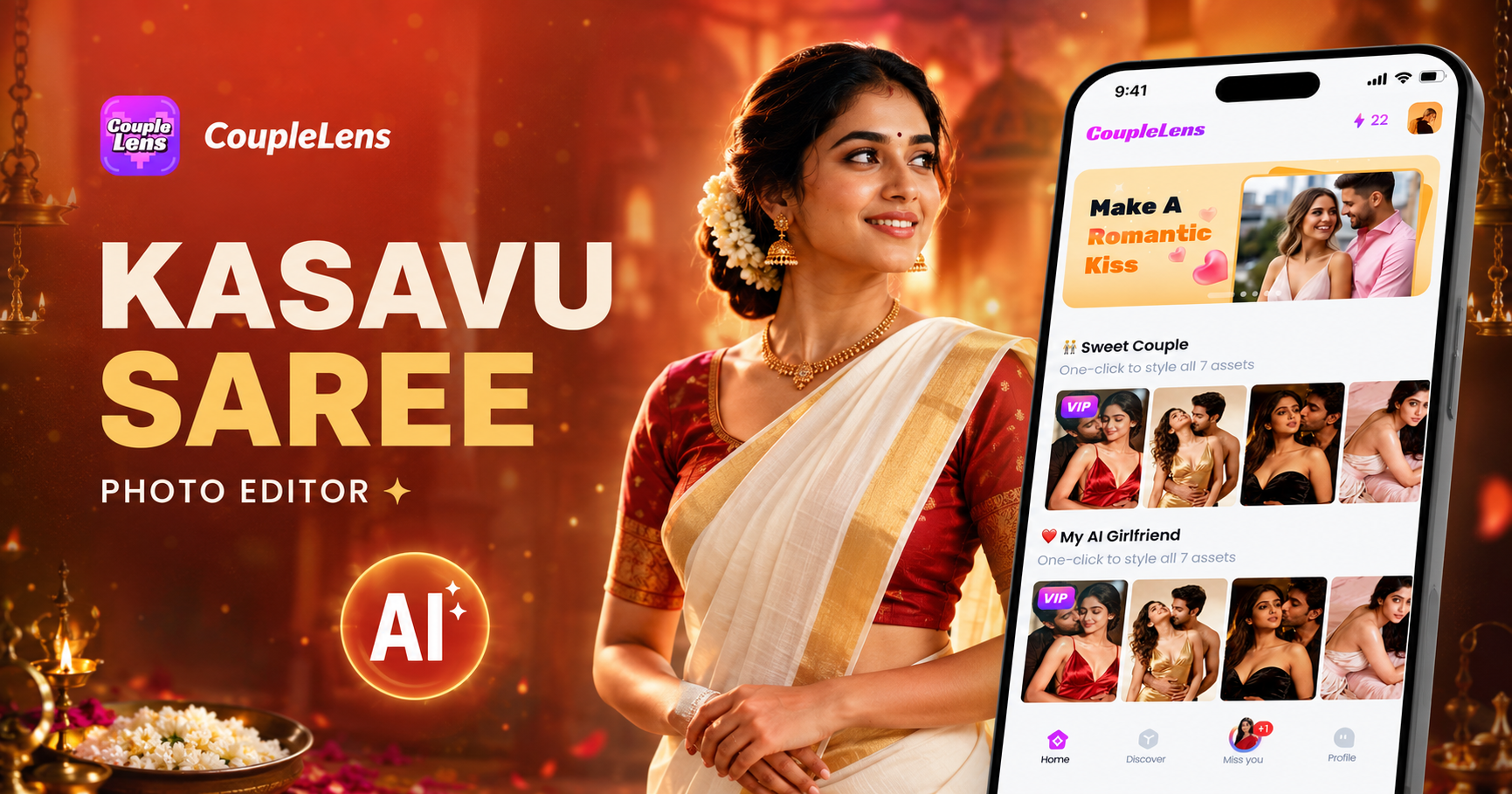
Try a Kasavu Saree Look in One Tap
These three CoupleLens templates cover Onam, traditional Kerala saree photo, and Kasavu saree AI edits.
Watch CoupleLens Kasavu Saree Photo Edits in Action
Two short videos that show how the CoupleLens Kasavu saree photo editor works on real selfies, real couple shots, and full Onam family photos.
Key Features of the CoupleLens Kasavu Saree Photo Editor
CoupleLens is built for the Kasavu saree AI workflow. Identity stays yours, the saree stays authentic, and the result lands in under twenty seconds.
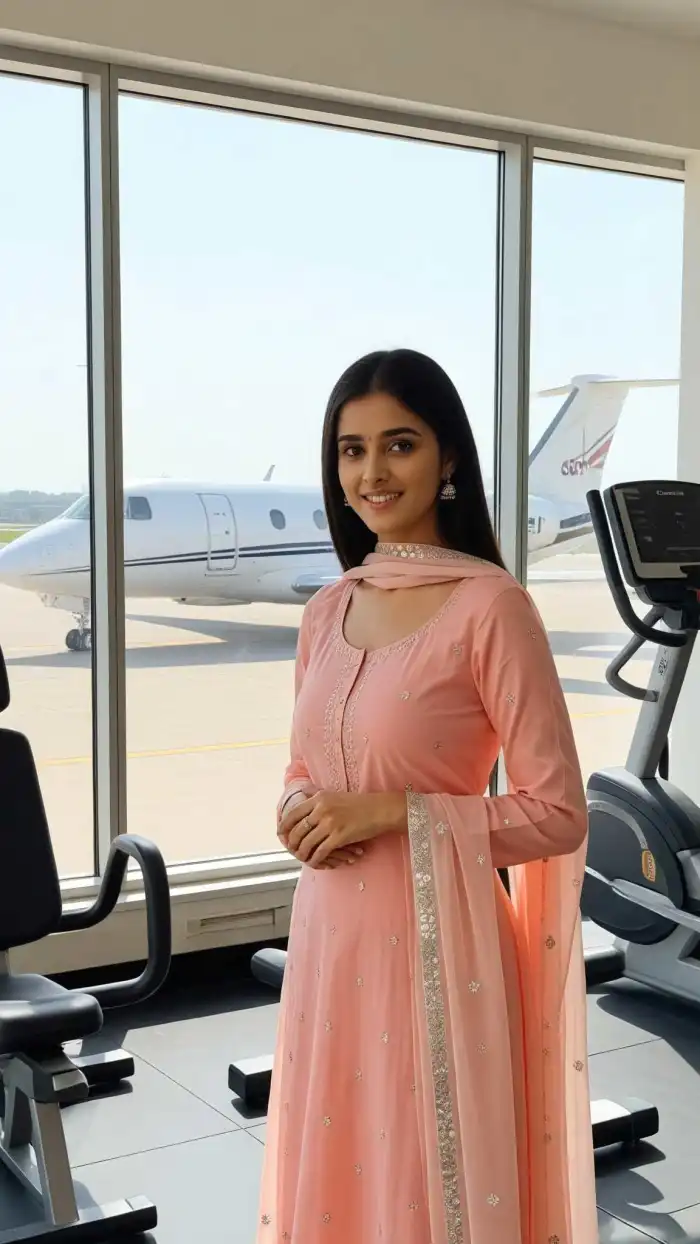 Before
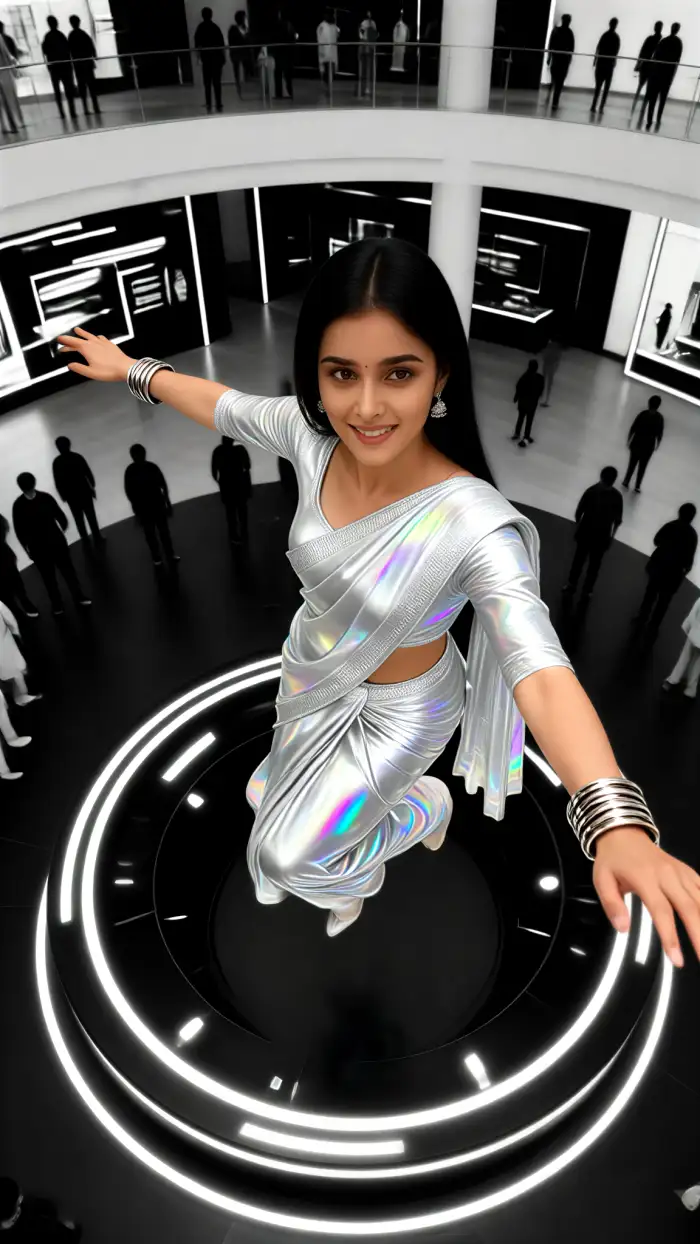 After
AfterIdentity Stays Yours
CoupleLens keeps your real face, real skin tone, and real hair when it adds the Kasavu saree. The cream silk drapes over your shoulders. The gold border lines up clean. Your eyes, smile, and jawline do not shift. So the final photo still looks like you, just dressed for Onam. That is the part most AI saree tools miss. Upload a clear front-facing selfie, pick a Kasavu template, and the same person comes out on the other side, every single time.
BeforeAfterIdentity Stays Yours
CoupleLens keeps your real face, real skin tone, and real hair when it adds the Kasavu saree. The cream silk drapes over your shoulders. The gold border lines up clean. Your eyes, smile, and jawline do not shift. So the final photo still looks like you, just dressed for Onam. That is the part most AI saree tools miss. Upload a clear front-facing selfie, pick a Kasavu template, and the same person comes out on the other side, every single time.
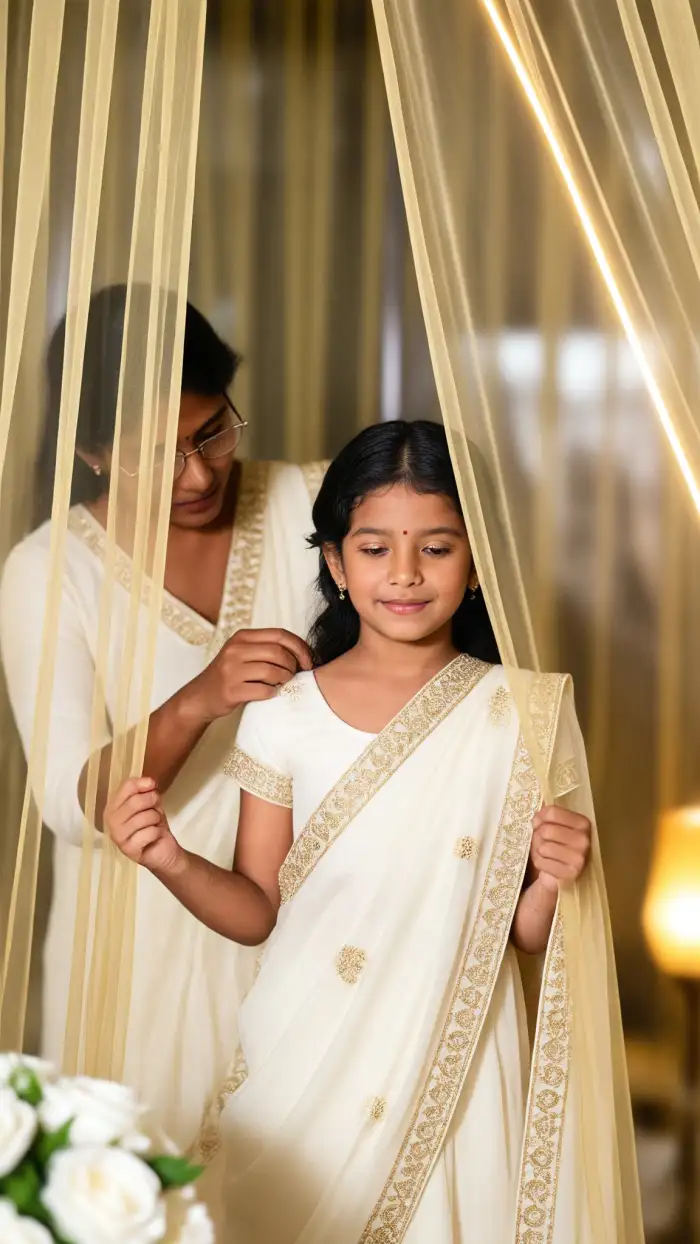
Help me wear Kasavu saree
One Template, Real Kasavu Saree Detail
Every Kasavu saree CoupleLens template is loaded with the small things. Think jasmine in the hair, a Palakka mala, brass nilavilakku, banana leaf edges, and a real pookalam behind you. The white silk has texture. The gold zari catches light the way it should. You do not write any of this. The template knows. This is why a traditional Kerala saree photo from CoupleLens reads as cultural, not generic South Asian stock.
Help me wear Kasavu saree
One Template, Real Kasavu Saree Detail
Every Kasavu saree CoupleLens template is loaded with the small things. Think jasmine in the hair, a Palakka mala, brass nilavilakku, banana leaf edges, and a real pookalam behind you. The white silk has texture. The gold zari catches light the way it should. You do not write any of this. The template knows. This is why a traditional Kerala saree photo from CoupleLens reads as cultural, not generic South Asian stock.
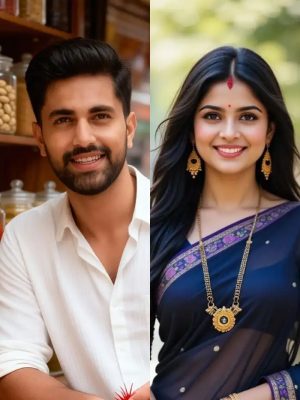 Before
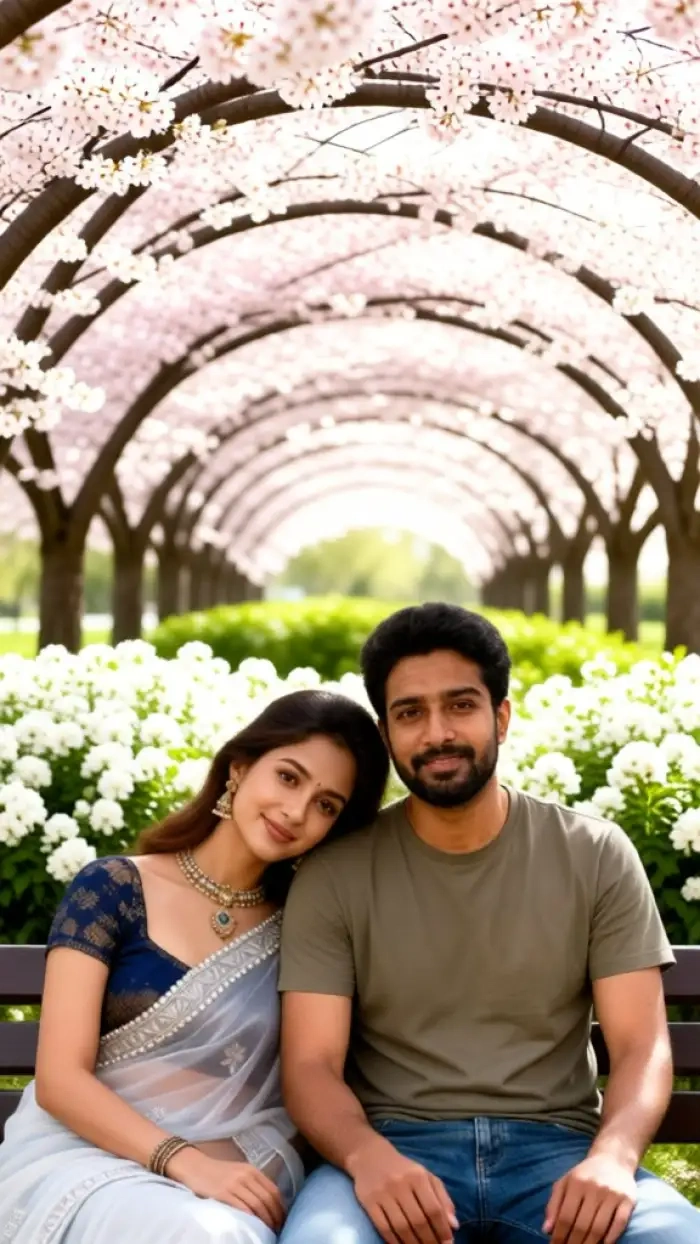 After
AfterGroup Photos, Clean Faces
CoupleLens handles the family shot. Upload a photo with two people, three people, or more, and the AI keeps each face separate. No blended jawlines. No missing uncle. The Kasavu saree style lands on everyone in the frame, and the pose stays natural. So your Onam saree photo editor can cover a couple portrait, a sibling duo, or a full family table in one go.
BeforeAfterGroup Photos, Clean Faces
CoupleLens handles the family shot. Upload a photo with two people, three people, or more, and the AI keeps each face separate. No blended jawlines. No missing uncle. The Kasavu saree style lands on everyone in the frame, and the pose stays natural. So your Onam saree photo editor can cover a couple portrait, a sibling duo, or a full family table in one go.
How to Create a Kasavu Saree Photo with CoupleLens?
The full path takes under a minute. No design skills. Just three short steps inside the CoupleLens app.

Step 01.
Open the Google Play Store on your Android phone. Search for CoupleLens and tap install. The app is free, and the Kasavu saree filter pack loads the moment you open it.

Step 02.
Scroll the CoupleLens template feed until you spot the Kasavu saree AI look you want. Solo Onam portrait, traditional Kerala saree photo, all three live in the pack.

Step 03.
Upload a single selfie, couple shot, or family photo. Hit generate. Wait about ten to twenty seconds. Your Kasavu saree photo is ready.

Why Use CoupleLens as Your Kasavu Saree Photo Editor
Most Kasavu saree AI tools sit on a website. You paste a prompt. You wait. The face drifts. The saree looks painted on. CoupleLens flips that. The full Kerala saree workflow lives inside a mobile app, runs on one tap, keeps your real face, and ships the final image in about fifteen seconds. It is the fastest path from a normal selfie to a traditional Kerala saree photo you actually want to post.

What Our Users Say About the CoupleLens Kasavu Saree Filter
Took maybe fifteen seconds. I am not going back to prompt tools.
I tried three different Kasavu saree AI sites before CoupleLens. The face always changed. CoupleLens kept my face the same and put a real cream Kasavu on me with jasmine in my hair. I posted the result for Onam and got more DMs than ever.
My mom actually asked which studio we went to. The answer is just CoupleLens!
I needed an Onam saree photo for my family WhatsApp group. I uploaded a normal photo of my parents, picked the Kasavu template in CoupleLens, and the AI put a matching Kasavu saree on both of them without mixing their faces.
Fast, clean, and the gold border on the saree actually looks like real zari. Big time saver for social content.
I run a saree shop and needed quick photos of me wearing my own Kasavu stock for Instagram. I used the CoupleLens Kasavu saree photo editor to test new border designs on my own face.
Frequently Asked Questions
Quick answers on how the Kasavu saree AI photo flow works inside CoupleLens.
More Topics You May Like
Pair your Kasavu saree photo with other CoupleLens AI photo and video filters.
15 August Photo AI Generator: Independence Day Pictures by CoupleLens

World Cup 2026 Prompt: Create FIFA Fan Art, Jersey Edits & Stadium Posters | CoupleLens
AI Raksha Bandhan Card Design Generator | CoupleLens

AI Chibi Cartoon Video Effect: Make Cute Anime Videos With CoupleLens
15 August Photo AI Generator: Independence Day Pictures by CoupleLens
World Cup 2026 Prompt: Create FIFA Fan Art, Jersey Edits & Stadium Posters | CoupleLens
AI Raksha Bandhan Card Design Generator | CoupleLens
AI Chibi Cartoon Video Effect: Make Cute Anime Videos With CoupleLens
Dress Your Next Photo in a Real Kasavu Saree
CoupleLens is the Kasavu saree photo editor built for your phone. Download it free on Google Play, pick a template, and share your Onam look today.
Dress Your Next Photo in a Real Kasavu Saree
CoupleLens is the Kasavu saree photo editor built for your phone. Download it free on Google Play, pick a template, and share your Onam look today.