Ganpati Bappa AI Video
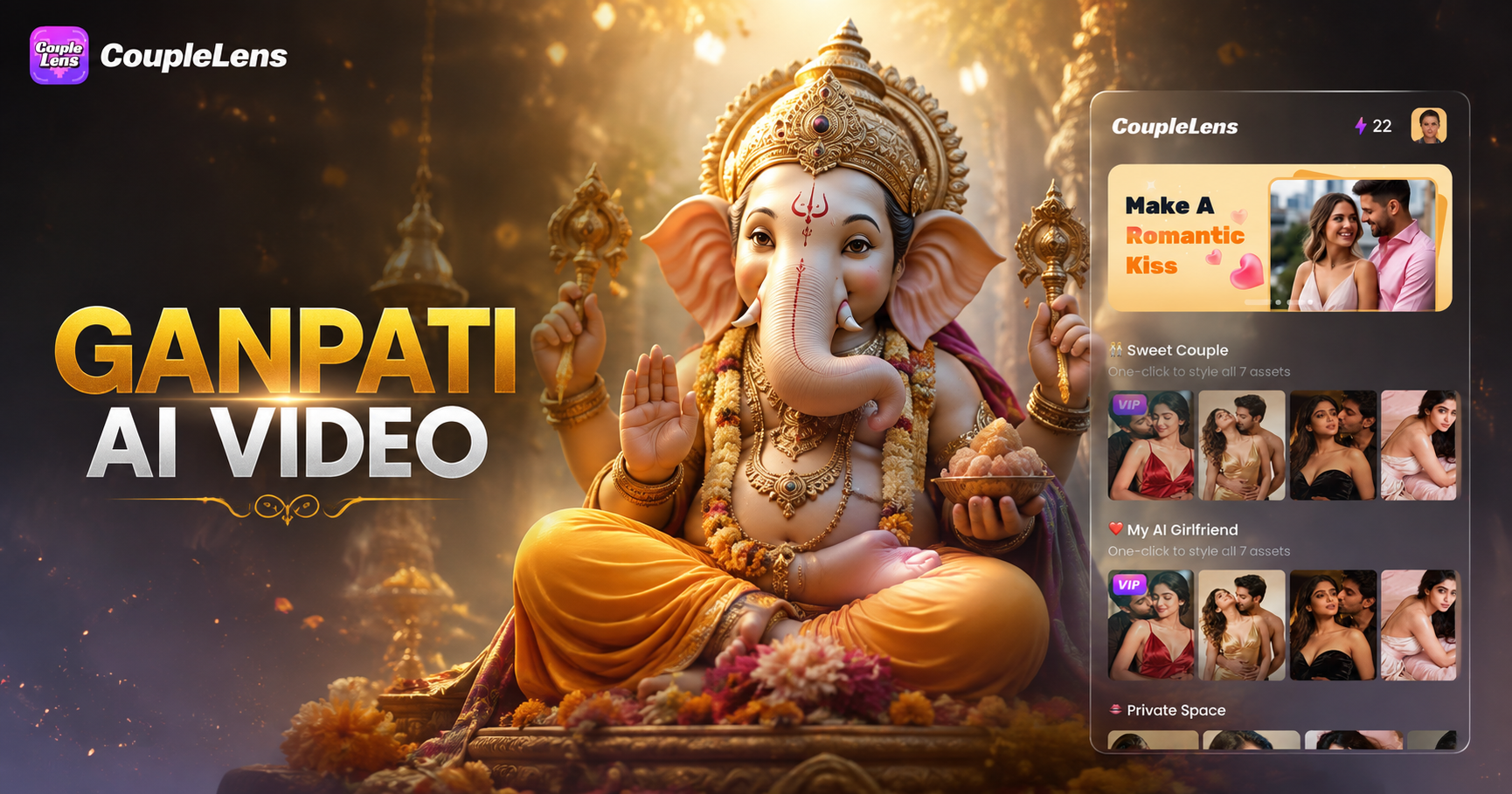
Pick a Ganpati Bappa Filter That Feels Right
Every filter below works as a ready AI video editor shortcut. One tap loads the style. Your Ganpati Bappa AI video comes out fast.
Key Features of CoupleLens for Ganpati Bappa AI Video
CoupleLens blends an AI video generator, an AI video editor, and a 25,000 template library into one mobile app.
 Before
One Tap Image to Video for Bappa Photos
Turn any still idol photo into a moving Ganpati Bappa AI video with a single tap. CoupleLens reads the main subject and adds smooth motion like a soft blink, a slow trunk sway, and a gentle blessing gesture. No prompt writing. No timeline editing. The AI video editor handles every frame inside the app, so your Bappa looks alive in about twenty seconds.
BeforeOne Tap Image to Video for Bappa Photos
Turn any still idol photo into a moving Ganpati Bappa AI video with a single tap. CoupleLens reads the main subject and adds smooth motion like a soft blink, a slow trunk sway, and a gentle blessing gesture. No prompt writing. No timeline editing. The AI video editor handles every frame inside the app, so your Bappa looks alive in about twenty seconds.
 Before
 After
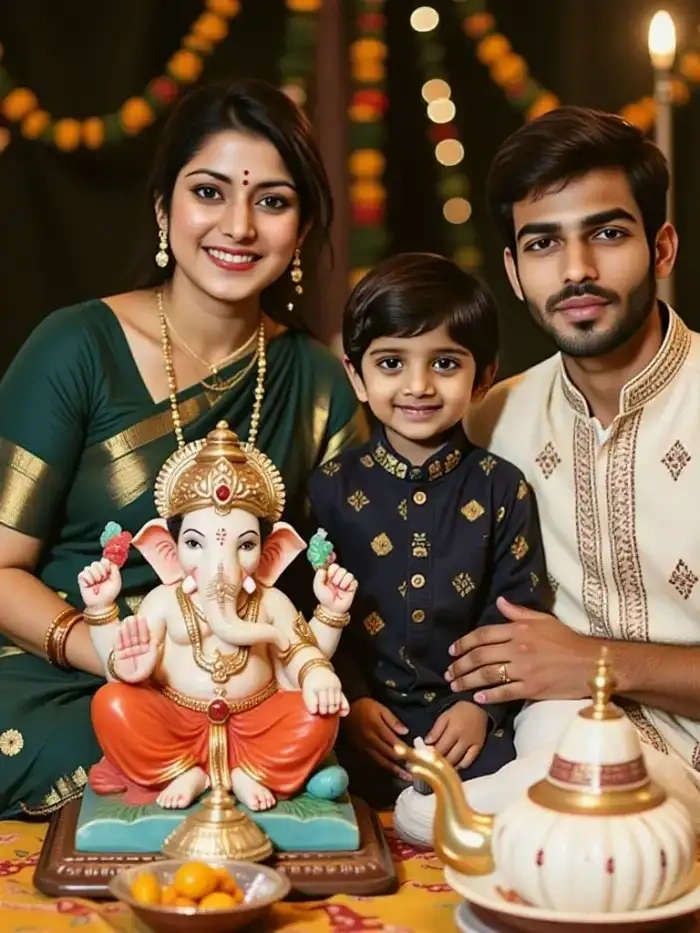
AfterGroup Photo Mode for Family With Bappa
Upload a family photo with Lord Ganesha and CoupleLens keeps every face in place. The AI separates the idol from each family member, then animates natural group actions like folding hands, standing side by side, or sharing a warm moment together. Faces stay clear. No mixed features. No missing subjects. Right for devotees who want a personal Bappa video with their whole family.
BeforeAfterGroup Photo Mode for Family With Bappa
Upload a family photo with Lord Ganesha and CoupleLens keeps every face in place. The AI separates the idol from each family member, then animates natural group actions like folding hands, standing side by side, or sharing a warm moment together. Faces stay clear. No mixed features. No missing subjects. Right for devotees who want a personal Bappa video with their whole family.
25,000 Festival Style Templates Inside the App
Browse 25,000 ready filters inside CoupleLens, all built around real festivals and family moments. Find devotional idol looks, 3D claymation styles, Ghibli style animations, cinematic darshan scenes, and many more. Each filter is a complete AI video generator preset. Pick one, drop in your Bappa photo, and the app matches every style detail in seconds. New festival templates drop every week.
25,000 Festival Style Templates Inside the App
Browse 25,000 ready filters inside CoupleLens, all built around real festivals and family moments. Find devotional idol looks, 3D claymation styles, Ghibli style animations, cinematic darshan scenes, and many more. Each filter is a complete AI video generator preset. Pick one, drop in your Bappa photo, and the app matches every style detail in seconds. New festival templates drop every week.
How to Create a Ganpati Bappa AI Video?
Open Google Play on your Android phone and search for CoupleLens. Tap install.

Step 01.
Download CoupleLens on Google Play. The app is free to start and the whole creation workflow lives inside the mobile app.

Step 02.
Pick a filter. Choose a saved Bappa photo, or take a new one inside the app. Tap generate. Wait about twenty seconds.

Step 03.
Preview the result. If you love it, save the clip to your phone. Post it straight to Instagram, WhatsApp, or YouTube Shorts for the whole family and mandap to see.
Watch CoupleLens in Action
Watch real CoupleLens tutorials to make a Ganpati Bappa AI video in minutes.
Use CoupleLens for Ganpati Bappa AI Video
CoupleLens is built for festival creators, not pro editors. Every Ganesh Chaturthi filter respects traditional iconography while adding smooth, modern motion to your Bappa photo. You get the ease of a mobile AI video editor, the reach of a viral AI video generator, and a private space to honor Bappa with your family and friends. Free to try today.

What Devotees Say About Ganpati Bappa AI Video

Ananya Sharma
Found CoupleLens during Ganesh Chaturthi last year and made clips of our mandap in under five minutes. The AI video editor kept every detail of the idol, from the crown to the garland. Family in Pune loved it. Now it is a yearly ritual for us.

Daniel Okafor
I am not a designer at all, but CoupleLens made me look like one for our shop Ganpati decoration. I picked the 3D claymation filter and got a warm, three second video that customers still ask about. The AI video generator side is fast, fun, and easy on data.

Priya Krishnamurthy
I shoot mandaps every season and CoupleLens saves me hours. I take one idol photo, then I run a few AI video editor filters for the family. Everyone goes home with a moving Bappa clip they post the same day. The character stays consistent across every shot.

Marcus Whitfield
Used the AI video generator with my daughter to make a Ganpati Bappa video for her school project. She picked a filter, uploaded a temple photo, and got a real festival clip in a few taps. No software. No prompt writing. Just pure fun on a phone.
Ananya Sharma
Found CoupleLens during Ganesh Chaturthi last year and made clips of our mandap in under five minutes. The AI video editor kept every detail of the idol, from the crown to the garland. Family in Pune loved it. Now it is a yearly ritual for us.
Daniel Okafor
I am not a designer at all, but CoupleLens made me look like one for our shop Ganpati decoration. I picked the 3D claymation filter and got a warm, three second video that customers still ask about. The AI video generator side is fast, fun, and easy on data.
Priya Krishnamurthy
I shoot mandaps every season and CoupleLens saves me hours. I take one idol photo, then I run a few AI video editor filters for the family. Everyone goes home with a moving Bappa clip they post the same day. The character stays consistent across every shot.
Marcus Whitfield
Used the AI video generator with my daughter to make a Ganpati Bappa video for her school project. She picked a filter, uploaded a temple photo, and got a real festival clip in a few taps. No software. No prompt writing. Just pure fun on a phone.
Ananya Sharma
Found CoupleLens during Ganesh Chaturthi last year and made clips of our mandap in under five minutes. The AI video editor kept every detail of the idol, from the crown to the garland. Family in Pune loved it. Now it is a yearly ritual for us.
Daniel Okafor
I am not a designer at all, but CoupleLens made me look like one for our shop Ganpati decoration. I picked the 3D claymation filter and got a warm, three second video that customers still ask about. The AI video generator side is fast, fun, and easy on data.
Priya Krishnamurthy
I shoot mandaps every season and CoupleLens saves me hours. I take one idol photo, then I run a few AI video editor filters for the family. Everyone goes home with a moving Bappa clip they post the same day. The character stays consistent across every shot.
Marcus Whitfield
Used the AI video generator with my daughter to make a Ganpati Bappa video for her school project. She picked a filter, uploaded a temple photo, and got a real festival clip in a few taps. No software. No prompt writing. Just pure fun on a phone.
Frequently Asked Questions
Quick answers for devotees using the CoupleLens AI video editor. Everything you need to make and share your first Ganpati Bappa AI video.
More Topics You May Like
Pair your Ganpati Bappa AI video with other trending AI video generator ideas.
Maulid Nabi AI Photo Editing: Make Festive Greetings Fast with CoupleLens App
Kadayawan Photo Edit with CoupleLens AI: Festival Style in One Tap
Buwan Ng Wika Photo Edit App: CoupleLens AI Image Generator Free
Retro Game Art Generator: Turn Photos Into Pixel Art with CoupleLens
Maulid Nabi AI Photo Editing: Make Festive Greetings Fast with CoupleLens App
Kadayawan Photo Edit with CoupleLens AI: Festival Style in One Tap
Buwan Ng Wika Photo Edit App: CoupleLens AI Image Generator Free
Retro Game Art Generator: Turn Photos Into Pixel Art with CoupleLens
Make Your Ganpati Bappa AI Video Today
Bring Bappa to life on screen. Open Google Play, grab CoupleLens, and create a Ganesh Chaturthi video your family will share in seconds.
Make Your Ganpati Bappa AI Video Today
Bring Bappa to life on screen. Open Google Play, grab CoupleLens, and create a Ganesh Chaturthi video your family will share in seconds.