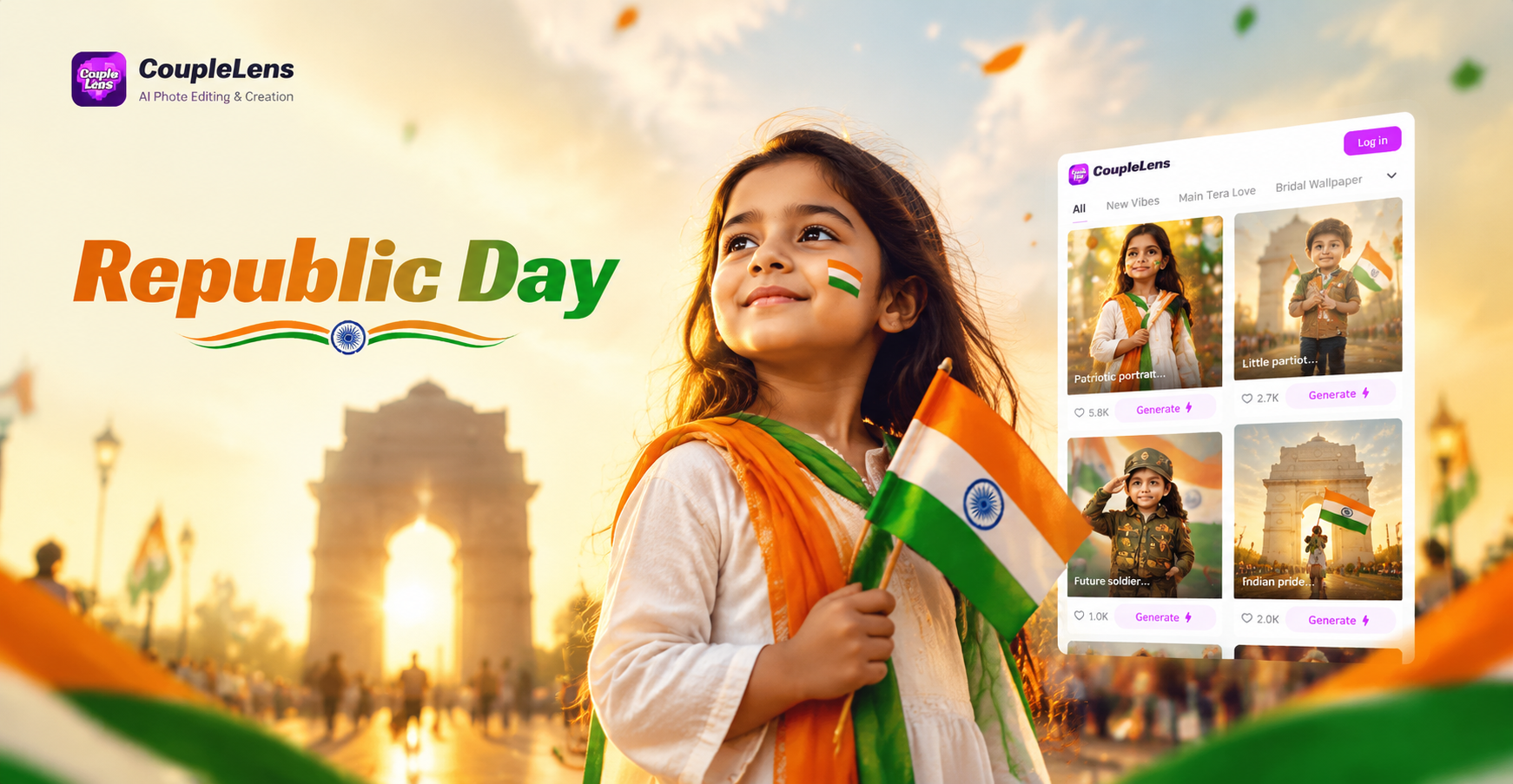
Republic Day is one of the most visually powerful occasions in India. From saffron, white, and green tricolor flags to historic monuments and proud portraits, the day offers endless material for photo editing. AI photo editing prompts help you turn ordinary pictures into polished Republic Day visuals without advanced design skills. This guide contains specific prompts for portraits, posters, heritage backgrounds, and creative styles. You can copy a prompt into any AI image editor, or upload a photo into a mobile app and apply the instruction directly.
What Makes a Good Republic Day AI Photo Editing Prompt?
A strong prompt describes the subject, clothing, colors, background, lighting, and final style. Vague prompts like 'make it patriotic' often produce weak results. Instead, include exact details such as 'Indian tricolor flag with saffron, white, and green horizontal bands and a navy blue Ashoka Chakra in the center' or 'soft morning light at India Gate'. For portrait edits, also mention the face angle, expression, and framing. This reduces the chance of distorted flags, unclear faces, or generic backgrounds.
How to Use These Prompts on Your Photos
For image-to-image editing, upload a clear, well-lit photo where your face and shoulders are visible. Paste a prompt from the list below into the prompt box. If the app supports style templates, choose a realistic or cinematic filter first. For text-to-image generation, use the prompt alone and set the output ratio to portrait or square as needed. In couplelens, you can import a selfie, select a style filter, or start from a blank canvas and type the prompt. After generating, adjust the wording if the flag looks wrong or the subject appears unnatural.
Republic Day Portrait Editing Prompts
These prompts work best with a single front-facing portrait or a half-body photo.
- Turn this portrait into a Republic Day poster. Paint the Indian flag across one cheek and shoulder, add soft saffron and green rim lighting, navy blue Ashoka Chakra bokeh in the background, photorealistic, sharp eyes, natural skin texture.
- Dress me in a white kurta with a tricolor dupatta draped over the shoulder. Place me in front of India Gate with a clear sky, Indian flag in my right hand, cinematic lighting, 26 January morning atmosphere.
- Add the Indian tricolor flag painted on both palms, held together in a respectful gesture. Keep the background blurred with warm golden bokeh, focus on the face, soft studio light, high resolution.
- Create a Republic Day profile photo with a navy blue background, tricolor stripes on the upper left corner, Ashoka Chakra watermark on the right, professional headshot lighting, confident expression.
- Transform this photo into a soldier-inspired Republic Day portrait. Add a crisp olive green uniform, beret with Indian emblem, dignified expression, Red Fort in the background, photorealistic.
- Place me in a vintage Indian stamp frame with Republic Day theme, aged paper texture, tricolor border, '26 January 1950' text below, heritage monument silhouette, nostalgic warm tone.
- Make this portrait look like a Republic Day greeting card. Soft tricolor gradient behind me, white kurta, folded hands, small Indian flags on both sides, clean typography area at the top.
- Edit this photo into a Ghibli-style Republic Day scene. Keep my face recognizable, add a flowing tricolor scarf, a peaceful park with Indian flag, warm pastel colors, gentle wind, hand-painted look.
- Create a black-and-white portrait with only the Indian flag in color. Position the flag on the left side, dramatic side lighting, serious expression, high contrast, editorial photography style.
- Turn this selfie into a watercolor Republic Day artwork. Blend the Indian flag into the background, add soft brush strokes around the face, use saffron, white, and green paint splashes, artistic but elegant.
Republic Day Poster and Greeting Prompts
Use these prompts to create shareable 26 January posters, banners, or greeting cards.
- Create a Happy Republic Day poster with my photo in the center. Surround me with floating tricolor ribbons, Ashoka Chakra in the top right, India Gate silhouette at the bottom, clean white space for text, festive lighting.
- Design a vertical Republic Day banner with my portrait on the left, large Indian flag on the right, saffron and green gradient background, 'Happy Republic Day' text in elegant typography, confetti falling.
- Make a Republic Day social media post with my photo inside a circular frame. Add tricolor geometric patterns around the frame, small white doves, navy blue Ashoka Chakra motifs, modern flat design.
- Create a vintage Republic Day poster with a cream background, my photo in a sepia oval frame, tricolor border, Indian freedom fighters silhouette in the background, historical newspaper texture.
- Design a 3D clay style Republic Day greeting card. Show a cute clay version of me holding a small Indian flag, with a miniature India Gate and tricolor balloons, soft studio lighting, playful and colorful.
- Make a Republic Day digital invitation with my photo, ornate tricolor arch at the top, Ashoka Chakra pattern on the sides, elegant golden text '26 January Celebration', festive but respectful.
- Create a cinematic Republic Day movie poster with my portrait, dramatic saffron and green lighting, Indian flag waving in the background, bold title 'REPUBLIC DAY' at the bottom, film grain, epic mood.
- Turn this photo into a Republic Day newspaper front page. Add my portrait at the top, headline 'Proud to be Indian', tricolor accent lines, historic monument visuals, aged print effect.
- Design a minimal Republic Day poster with my photo at the bottom right, large empty tricolor space above for text, small Ashoka Chakra logo, clean lines, professional graphic design.
- Make a festive Republic Day collage with three copies of my photo in different poses. Add tricolor frames around each photo, Indian flag bunting across the top, bright confetti, celebratory atmosphere.
Indian Heritage and Monument Background Prompts
These prompts place you or your subject in front of iconic Indian landmarks while keeping the Republic Day theme.
- Place me in front of India Gate at sunrise on Republic Day. Show the monument in sharp detail, Indian flags along the walkway, soft golden light on my face, photorealistic, wide shot.
- Put me on the lawns near Red Fort with the national flag on top. Keep my outfit in white and saffron, morning mist, parade crowd in the far background, natural colors, high resolution.
- Create a Republic Day background with the Parliament House and a large Indian flag. Place my portrait in the foreground, slightly blurred monument, tricolor light flares, professional composition.
- Show me standing on a clean pathway with the Gateway of India behind me, Indian flag bunting overhead, sunny Republic Day morning, casual white shirt with tricolor scarf, travel photo style.
- Place me in a decorated school ground with Indian flags, stage with Republic Day banner, children in white uniforms in the background, bright daylight, festive atmosphere, photorealistic.
- Create a historical Republic Day scene with me in traditional attire near the India Gate lawns. Add vintage 1950s film grain, sepia and tricolor accents, documentary photo style.
- Put me in front of a blurred Indian army parade. Keep the main focus on my face, add a tricolor flag in my hand, motion blur on the marchers, warm afternoon light, editorial style.
- Create a patriotic rooftop photoshoot at dusk. Place me on a terrace with the Indian flag flying, city skyline behind, saffron and green sky gradient, soft cinematic lighting, high detail.
Creative, Artistic, and Stylized Prompts
For a more unique look, try these artistic interpretations.
- Ghibli style: Turn this photo into a Ghibli-inspired Republic Day illustration. Give me a tricolor scarf and a small Indian flag, place me under a large tree with glowing lanterns, soft watercolor background, warm sunlight, gentle anime eyes.
- Oil painting: Create an oil painting of my portrait as a proud Indian citizen on Republic Day. Use visible brush strokes, rich saffron and green tones, Indian flag draped over the shoulder, classic portrait lighting.
- 3D clay: Make a cute 3D clay model of my face with a tiny Indian flag, wearing a small white kurta and tricolor sash. Add a playful India Gate toy behind me, bright studio light, clay texture, shallow depth of field.
- Cyberpunk: Reimagine this portrait as a futuristic Republic Day image. Add neon saffron and green lights, holographic Ashoka Chakra, Indian flag projected on a glass wall, cyberpunk city background, detailed face.
- Watercolor: Turn this photo into a soft watercolor Republic Day portrait. Keep my face clear, blend the edges into tricolor washes, add subtle flag motifs, white paper texture, elegant and airy.
- Pencil sketch: Convert this portrait into a detailed pencil sketch with only the Indian flag in colored pencil. Shade the face naturally, keep the flag vibrant, use a clean cream background, artistic portrait.
- Comic style: Create a bold comic book Republic Day cover with my portrait. Add action lines, tricolor burst behind me, speech bubble with 'Jai Hind', halftone dots, vibrant colors.
- Minimalist vector: Make a flat vector portrait of me against a tricolor geometric background. Use clean shapes for the face, a small Ashoka Chakra icon on the shirt, modern poster style.
- Double exposure: Create a double exposure image combining my portrait with the Indian flag and India Gate. Blend the monument and flag into my silhouette, use saffron and green tints, emotional and artistic.
- Cinematic still: Turn this photo into a dramatic cinematic still from a Republic Day film. Add anamorphic lens flare, teal and orange split tone with saffron accents, Indian flag in the background, shallow depth of field, film grain.
How to Adapt Any Prompt for Your Photo
Small changes can make a big difference. Replace 'India Gate' with 'Red Fort', 'Gateway of India', 'Parliament House', or a local monument from your state. Change clothing details to match your comfort and region, such as 'saree', 'sherwani', 'kurta', 'school uniform', or 'army uniform'. If the result looks too busy, add 'clean background, single subject, centered portrait'. If you want a different mood, add 'morning light', 'golden hour', 'night celebration', or 'rainy Republic Day'. You can also add 'holding Indian flag' or 'flag painted on face' to increase the patriotic feel.
How to Fix Common Republic Day AI Photo Issues
AI image generators sometimes make mistakes with Indian symbols. Here is how to fix them.
Distorted Indian Flag
If the flag looks wrong, specify 'Indian tricolor flag with three horizontal bands, saffron on top, white in the middle, green at the bottom, and a navy blue Ashoka Chakra with 24 spokes in the center of the white band'. Avoid words like 'flag' alone.
Wrong Ashoka Chakra
If the chakra appears as a wheel with too few spokes or the wrong color, use 'navy blue Ashoka Chakra with 24 evenly spaced spokes' and place it in the prompt near the flag details.
Blurry or Changed Face
For portrait edits, add 'keep the original face recognizable, sharp focus on eyes, natural skin texture, no extra face'. If the app includes an image-to-image strength setting, keep it moderate so the face does not warp.
Oversaturated Colors
If saffron becomes neon orange or green becomes lime, add 'natural tones, soft saffron, muted green, realistic color grading'. For artistic styles, use 'gentle watercolor tones' or 'rich oil paint colors'.
Busy or Messy Backgrounds
If the background has too many elements, simplify the prompt with 'clean background', 'soft blurred bokeh', 'single monument only', or 'empty space for text'.
Quick Reference: More Republic Day AI Photo Editing Prompts
Here are ten short prompts for fast results. Copy and paste them into your mobile AI editor.
- Turn this photo into a Republic Day celebration portrait with tricolor background and Indian flag in hand, photorealistic.
- Dress me in traditional Indian attire with tricolor accents, place me at India Gate, morning light, high resolution.
- Create a Republic Day greeting card with my photo, clean typography, tricolor ribbons, Ashoka Chakra, festive design.
- Make me look like a Republic Day parade participant in a white uniform with Indian flag, Red Fort background, realistic.
- Add Indian flag face paint to my cheek and forehead, soft studio light, clean background, sharp portrait.
- Turn my photo into a watercolor Republic Day artwork with tricolor splashes and Ashoka Chakra motif.
- Create a black and white portrait with only tricolor colors on my scarf, dramatic side light, high contrast.
- Place me in a decorated street with Indian flags, Republic Day banner overhead, warm celebration lighting, photorealistic.
- Make a 3D clay version of me holding an Indian flag, small India Gate in background, playful clay texture.
- Turn this into a cinematic Republic Day poster with my face, saffron and green haze, Indian flag, bold patriotic mood.
Final Thoughts on Republic Day AI Photo Editing
Republic Day AI photo editing prompts give you a quick way to create respectful and visually rich 26 January images. The best results come from specific instructions that include the tricolor, a clear background, and the face or outfit you want. Start with a simple portrait prompt, then adapt it to posters, monuments, or artistic styles. Once you find a look you like, save the prompt and reuse it for your family, friends, or social media posts. Download a mobile AI photo editor and let the tricolor inspire your next creation.