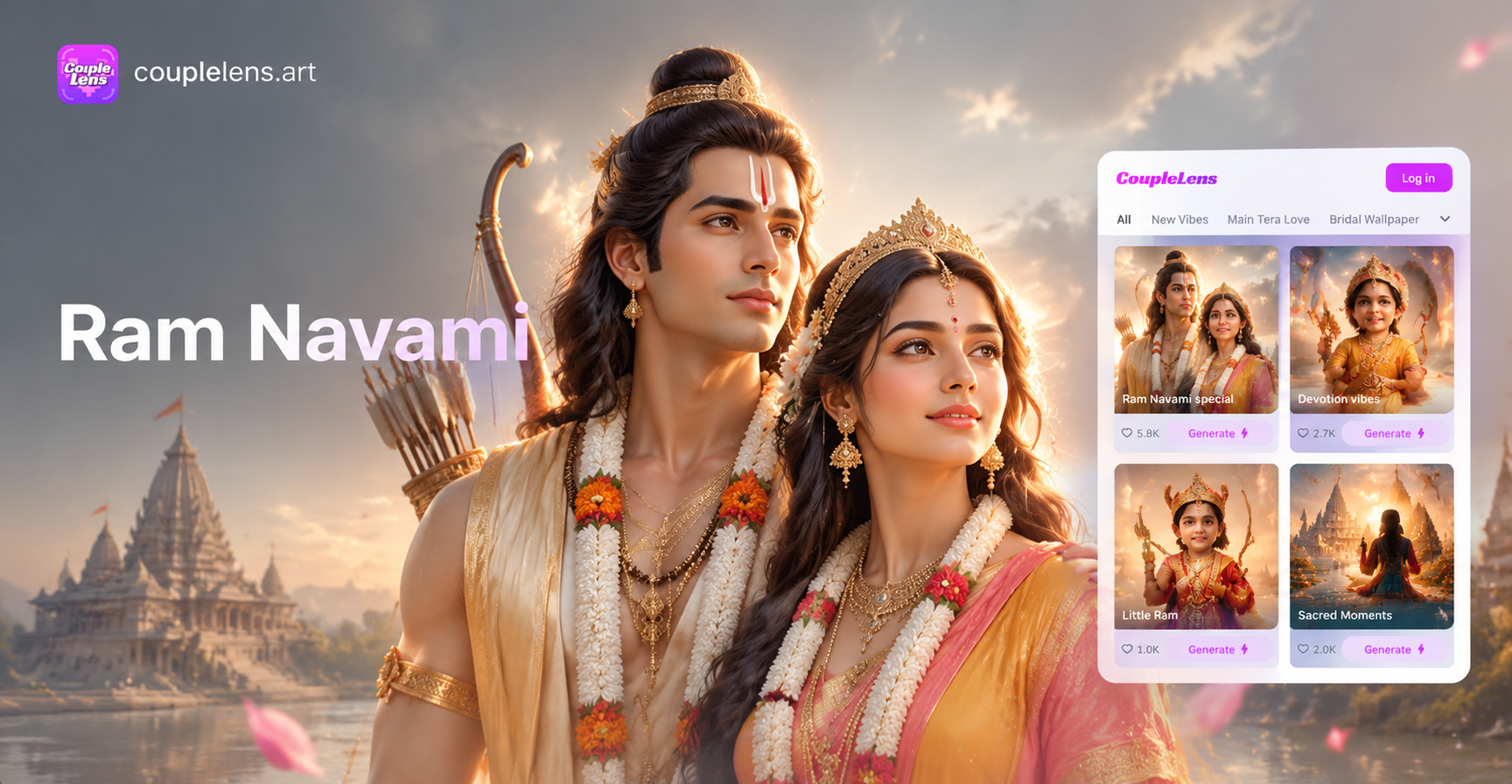
Introduction to Ram Navami AI Photo Editing
Ram Navami is a major Hindu festival that marks the birth of Lord Rama, the seventh avatar of Vishnu. Devotees celebrate with prayers, bhajans, processions, and beautifully decorated temples. If you want to create striking Ram Navami themed images for social media, greeting cards, or personal devotion, AI photo editing prompts can help you do it quickly and creatively.
AI photo editing works by using a text prompt to guide an image generator. You can start with a blank canvas and generate an image from scratch, or you can upload a real photo and use an image-to-image workflow to transform it. The prompts below are written for tools that accept natural language, such as Midjourney, DALL-E, Stable Diffusion, and many mobile apps like couplelens. Each prompt is self-contained and ready to use. You can copy and paste it directly, or tweak a few words to match your exact vision.
The key to a good Ram Navami prompt is including specific visual details: the colors of the festival, traditional clothing, temple architecture, diyas, flowers, and the serene expression of Lord Rama. The more precise your prompt, the better your result. This guide gives you a large collection of prompts across different styles, along with practical tips for improving weak outputs and adapting prompts for your own photos.
How to Use These Prompts
There are two main ways to use Ram Navami AI photo editing prompts. The first is text-to-image generation, where you type a prompt and the AI creates a new image from nothing. The second is image-to-image editing, where you upload a photo of yourself, a family member, or a temple and then apply a prompt that describes the transformation you want. For image-to-image, you should still include the same descriptive language, but you may need to add a phrase like "while preserving the original face and body structure" or "edit this photo to add festive Ram Navami elements".
Most prompts here are written for text-to-image. If you want to edit an existing photo, simply add the prompt as the style or transformation instruction in your AI editor. Many mobile apps have a dedicated image-to-image mode. Open the app, upload your photo, paste one of these prompts into the text field, and generate. You may need to adjust the strength or denoising setting to keep the original person recognizable. A strength of 0.4 to 0.7 usually works well for subtle edits, while a higher strength will produce a more dramatic transformation.
Essential Visual Elements for Ram Navami Prompts
Before diving into the prompt collection, it helps to know which details make an image unmistakably Ram Navami. These elements are used throughout the prompts below. You can mix and match them to create your own custom prompts.
- Lord Rama: Usually depicted with dark blue or deep teal skin, a golden crown, a red or yellow dhoti, and a bow and arrow. He may be standing or sitting, often with Sita, Lakshmana, and Hanuman nearby.
- Temple architecture: Traditional Hindu temple pillars, carved stone walls, domes, and prayer bells. A temple background instantly adds a devotional mood.
- Festive colors: Saffron orange, bright yellow, red, and gold are dominant. These colors represent joy, purity, and devotion.
- Diyas and lamps: Small oil lamps made of clay are a symbol of the festival. Rows of glowing diyas add warmth and sacredness.
- Flowers: Marigold garlands, lotus flowers, and rose petals are common in Ram Navami decorations.
- Devotees: People folded hands in namaste, singing bhajans, or offering prayers.
Ram Navami AI Photo Editing Prompts: Realistic Style
Realistic prompts aim to produce photorealistic images that look like professional photography. Use these for portraits, family photos, and temple scenes.
1. Divine Portrait of Lord Rama
"A realistic portrait of Lord Rama with dark blue skin, wearing a golden crown and yellow silk dhoti, holding a bow and arrow, standing in a beautifully decorated temple with marigold garlands and glowing diyas, soft warm lighting, photorealistic, 8k, devotional Hindu art."
2. Family Celebrating Ram Navami at Home
"An Indian family celebrating Ram Navami at home, mother and father in traditional kurta and saree, children in festive clothes, a small altar with a framed picture of Lord Rama, marigold flowers and diyas, warm indoor lighting, photorealistic, joyful and devotional atmosphere."
3. Temple Procession on Ram Navami
"A street procession during Ram Navami, people carrying a decorated palanquin with an idol of Lord Rama, orange and yellow flags, flower petals on the ground, ancient Indian temple in the background, bright daylight, photorealistic, vibrant colors."
4. Close Up of a Devotee Praying
"Close up portrait of a young woman in a red and gold saree, hands folded in namaste, eyes closed in prayer, a small diya lamp and marigold flowers in front of her, blurred temple background, photorealistic, soft focus, warm golden hour lighting."
5. Lord Rama with Sita and Lakshmana in Forest Exile
"Lord Rama, Sita and Lakshmana walking through a serene forest path, Rama holding a bow, Sita in a red saree, Lakshmana in simple white dhoti, dappled sunlight through trees, birds and deer in the background, photorealistic, calm and divine mood."
Ram Navami AI Photo Editing Prompts: Anime and Illustrated Style
Anime and illustrated styles are popular for social media posts, greeting cards, and personal profile pictures. These prompts produce colorful, stylized images with a gentle artistic feel.
6. Anime Style Ram Navami Portrait
"Anime style portrait of Lord Rama, dark blue skin, golden crown, red dhoti, holding a bow, large expressive eyes, soft shading, temple in the background with marigold garlands and floating flower petals, pastel colors, Studio Ghibli inspired, high detail."
7. Chibi Lord Rama and Hanuman
"Cute chibi style illustration of Lord Rama and Hanuman celebrating Ram Navami, Hanuman kneeling in devotion, Rama placing a hand on Hanuman's head, bright saffron and yellow colors, diyas and flowers around them, simple clean background, adorable and joyful."
8. Watercolor Painting of Ram Navami Temple
"A soft watercolor painting of a Hindu temple decorated for Ram Navami, saffron flags hanging from the roof, marigold garlands on the pillars, a small idol of Lord Rama inside the sanctum, gentle color washes, textured paper, artistic and serene."
9. Ram Navami Festival Poster in Flat Illustration
"Flat vector illustration of a Ram Navami festival poster, Lord Rama standing in the center with a bow, orange and yellow circular background, decorative temple arch, diyas and lotus flowers, text space at the bottom, clean lines, vibrant colors."
10. Anime Style Family Praying Together
"Anime style scene of a family praying together on Ram Navami, father, mother and two children in traditional Indian clothes, sitting in front of a small altar, soft warm light, marigold flowers and incense sticks, Studio Ghibli style, heartwarming and peaceful."
Ram Navami AI Photo Editing Prompts: Cinematic and Artistic Styles
Cinematic prompts bring a dramatic, movie-like quality. These work well for banners, YouTube thumbnails, and social media stories.
11. Cinematic Portrait of Lord Rama
"Cinematic portrait of Lord Rama, dramatic side lighting, dark blue skin, golden armor and crown, intense but calm eyes, bow resting on shoulder, smoky temple background, film grain, 35mm lens, shallow depth of field, epic and divine atmosphere."
12. Ram Navami Night Scene with Diyas
"A cinematic night scene during Ram Navami, rows of clay diyas glowing along a temple courtyard, a silhouette of Lord Rama statue in the distance, orange flames reflecting on polished stone floor, soft bokeh from lanterns, low key lighting, movie still quality."
13. Ram Navami Digital Painting in Renaissance Style
"Digital painting of Lord Rama in the style of a Renaissance masterpiece, rich oil paint texture, golden halo behind his head, detailed drapery, Sita and Lakshmana beside him, temple pillars in the background, warm muted colors, highly detailed, classical composition."
14. Ram Navami Scene in Pixar Style
"3D Pixar style render of a Ram Navami celebration, cute Indian characters singing bhajans, Lord Rama character smiling with folded hands, colorful temple with marigold and banana leaves, bright cheerful lighting, soft clay-like textures, joyful festival mood."
15. Black and White Ram Navami Portrait with Orange Accent
"Black and white portrait of a devotee during Ram Navami, only the orange marigold garland and a single diya flame in color, dramatic shadows, fine art photography, emotional and spiritual mood."
Ram Navami AI Photo Editing Prompts for Image-to-Image Editing
If you already have a photo and want to add Ram Navami elements to it, use the following prompts as transformation instructions. Paste them into the prompt field of your AI editor after uploading the photo. You may need to experiment with the edit strength.
16. Add Festive Marigold Garland to Your Photo
"Add a marigold flower garland around the neck of the person in this photo, keep the face and body unchanged, add warm festive lighting, blur the background into a decorated temple, photorealistic edit."
17. Turn Your Selfie into a Devotional Portrait
"Transform this selfie into a devotional Ram Navami portrait, keep the face recognizable, add traditional Indian attire, a red and gold saree or kurta, place a small diya and marigold flowers in the foreground, soft golden light, photorealistic."
18. Place Yourself in Front of a Ram Navami Temple
"Edit this photo to place the person in front of a beautifully decorated Hindu temple during Ram Navami, saffron flags, marigold garlands, crowd of devotees behind, keep the person's face and body unchanged, photorealistic."
19. Add a Glowing Diya to Your Hands
"Add a glowing clay diya lamp in the hands of the person in this photo, warm orange flame light on the face, keep the person's expression and posture, dark background with bokeh lights, photorealistic."
20. Convert a Family Photo into a Ram Navami Greeting Card
"Turn this family photo into a Ram Navami greeting card, add a decorative border with orange and gold floral patterns, place a small image of Lord Rama in the top corner, add marigold petals falling, keep the family's faces unchanged, vibrant festive colors."
Tips for Getting Better Results
Even with a great prompt, AI output can be inconsistent. Here are practical ways to improve your Ram Navami images.
Add Negative Prompts
Many AI editors support negative prompts, which tell the model what to avoid. For Ram Navami images, useful negative prompts include: "blurry, distorted face, extra fingers, modern clothing, Western background, dull colors, low quality, watermark." If you are editing a real photo, add "changing facial features" to the negative prompt to keep the person recognizable.
Specify Lighting and Composition
Lighting words like "warm golden hour", "soft temple light", or "cinematic side lighting" dramatically affect the mood. Composition words like "close up", "full body", "wide shot", or "over the shoulder" help control framing. If your image looks flat, add "high contrast" or "dramatic shadows".
Use Style Keywords Carefully
Style keywords such as "photorealistic", "anime", "watercolor", or "Pixar style" change the entire look. Combine them with subject details for a consistent result. For example, if you choose "anime", also include "clean line art" and "soft shading". If you choose "photorealistic", add "8k, detailed skin texture, natural colors".
Iterate and Refine
Your first result may not be perfect. Take note of what went wrong and adjust the prompt. If Lord Rama's face looks inconsistent, add "symmetrical face, serene expression". If the temple background is too plain, add "ornate carvings, glowing diyas, marigold garlands". Small word changes can make a big difference.
Adapt Prompts for Your Favorite App
Different AI tools respond to prompts differently. Mobile apps like couplelens often have preset style filters that work alongside text prompts. If your app has a "style template" or "filter" option, choose one that matches your goal, such as "realistic photography" or "anime". Then add one of the prompts above as the text description. This hybrid approach usually produces better results than text alone.
Common Mistakes to Avoid
Avoid these common errors when using Ram Navami AI photo editing prompts.
- Using vague prompts like "Ram Navami picture". Instead, describe the subject, action, setting, and style.
- Overloading the prompt with too many conflicting details. Keep it to two or three main ideas.
- Forgetting to specify the style. Without "photorealistic" or "anime", the AI may return an inconsistent look.
- Ignoring the aspect ratio. If you need a portrait for a phone wallpaper, use a 9:16 ratio. If you need a banner, use 16:9.
- Using modern elements like Western clothing or casual settings unless you explicitly want a fusion image.
- Expecting perfect faces on the first try, especially with image-to-image editing. Always generate multiple versions and pick the best.
Conclusion
Ram Navami AI photo editing prompts give you a fast and creative way to make beautiful devotional images. Whether you want a realistic portrait of Lord Rama, an anime style family scene, or a festive edit of your own photo, the prompts in this guide are ready to use. Remember to add negative prompts, refine your wording, and experiment with style filters in your favorite AI app. With a little practice, you can create stunning Ram Navami visuals that capture the spirit of this sacred festival. Happy editing and Jai Shri Ram.