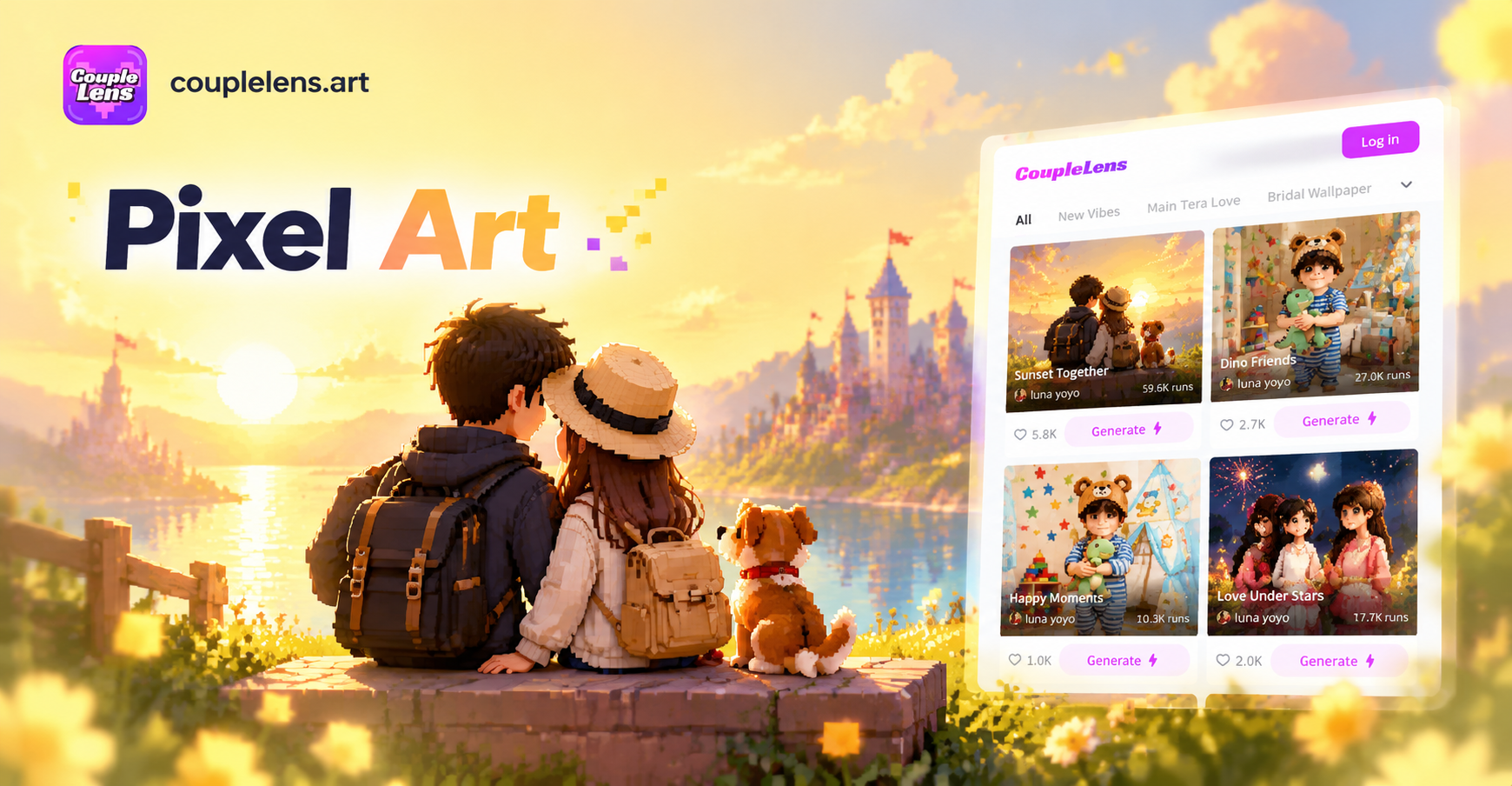
Pixel art AI photo prompts give you a direct way to transform regular photos into retro game style images. Instead of guessing how to describe jagged edges, limited palettes, or 16 bit sprites, you can copy a tested prompt, paste it into an AI image tool like CoupleLens, and get a clear pixelated result. This guide collects usable prompts for portraits, environments, objects, and creatures. You can use them as they are or combine them with your own photo for an image to image workflow.
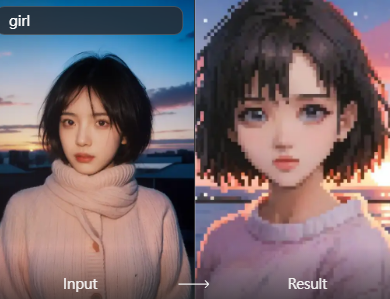
What Makes a Strong Pixel Art AI Photo Prompt?
Pixel art depends on a few visual rules that most AI models can follow when the prompt is explicit. A strong prompt names the subject, the pixel resolution or block size, the color palette, the composition, and the desired finish. Missing any of these can push the result toward a smooth illustration or muddy retro look.
Core Elements to Include
- Subject and pose: describe the person, animal, object, or scene clearly.
- Pixel density: use phrases like 8 bit, 16 bit, 32 bit, low resolution, chunky pixels, or sprite size.
- Color palette: name limited colors, Game Boy green, sepia, pastel, neon, or specific retro console palettes.
- Composition: portrait, full body, side view, top down, isometric, or close up.
- Finish and texture: pixel perfect, hard edges, no antialiasing, visible grid, dithering, or clean sprite sheet.
Pixel Art AI Photo Prompts for Portraits
These prompts work for single character portraits. Use them with a selfie or a portrait photo in CoupleLens to keep the likeness while switching to pixel style.
- A pixel art portrait of a young woman with silver hair, 16 bit RPG avatar style, limited 12 color palette, clean face, dark blue background, hard pixel edges
- 8 bit pixel art headshot of a bearded man smiling, retro arcade portrait, black and white dithering, centered, no background details
- 16 bit pixel art side profile of a man in a leather jacket, cyberpunk palette, neon rim light, visible pixel grid, crisp edges
- Pixel art portrait of a girl with freckles and curly red hair, Game Boy Color palette, soft dithering, frontal view, simple background
- Low resolution pixel art bust of an older woman with glasses, warm brown and cream palette, delicate shading, museum portrait style
- 8 bit pixel art selfie of a person with pink hair and headphones, vaporwave color palette, chunky pixels, purple background
- 16 bit pixel art character portrait of a knight with silver armor, neutral gray and blue palette, front facing, symmetrical, no antialiasing
- Pixel art portrait of a child laughing, 32 bit style, limited soft colors, white background, clean pixel edges
- Retro pixel art close up of a woman with space buns, chunky 8 bit sprite, neon magenta and cyan palette, dark background
- Pixel art bust of a man with face paint, tribal style, 16 bit RPG portrait, red and yellow palette, crisp outline
Pixel Art AI Photo Prompts for Landscapes and Scenes
Use these for broader scenes and background art. They work well in text to image mode or as a style prompt when you upload a landscape photo.
- Pixel art landscape of a mountain lake at sunset, 16 bit style, limited 18 color palette, visible pixels, reflected clouds, no smooth gradients
- 8 bit pixel art city street at night, neon signs, rainy pavement, cyan and magenta palette, chunky pixels, retro arcade background
- Pixel art isometric room with a bed, desk, laptop, and plant, 32 bit style, warm pastel palette, hard edges, cozy game scene
- 16 bit pixel art forest with tall pine trees, morning fog, green and gray palette, dithering in shadows, top down game map
- Pixel art desert with a lone cactus and sun, 8 bit minimalist scene, orange and brown palette, clear sprite shapes, plain sky
- Retro pixel art ocean horizon with a small boat, 16 bit seascape, blue and white palette, chunky waves, pixelated clouds
- Pixel art small town main street, 16 bit RPG map view, brick buildings, warm yellow and red palette, visible tile grid
- 8 bit pixel art snowy mountain trail, pale blue and white palette, sparse trees, crisp pixel rocks, no soft edges
- Pixel art cave interior with glowing crystals, 32 bit style, purple and teal palette, strong dithering, ambient light, game background
- 16 bit pixel art market square with stalls and people, colorful palette, overcast sky, compact sprite layout, busy but clear
Pixel Art AI Photo Prompts for Objects and Still Life
- 8 bit pixel art coffee cup with steam, limited brown and cream palette, hard pixel edges, plain background, item icon style
- 16 bit pixel art open book with glowing pages, blue and gold palette, crisp shadows, no antialiasing, still life composition
- Pixel art slice of pizza with cheese pull, 16 bit food icon, red, yellow, and brown palette, chunky pixels, top down view
- 8 bit pixel art retro game controller, black and gray palette, sharp edges, side view, transparent background style
- Pixel art bouquet of tulips in a vase, 32 bit still life, pink and green palette, soft dithering in shadows, clean outline
- 16 bit pixel art vinyl record player, teal and orange palette, side angle, visible pixels, warm lighting
- 8 bit pixel art pocket watch, gold and brown palette, centered, high contrast dithering, simple black background
- Pixel art jar of fireflies, 16 bit style, dark blue background, yellow glowing dots, hard pixel edges, magical item icon
- Retro pixel art stack of pancakes with syrup, 8 bit food sprite, brown and cream palette, chunky pixels, no smooth curves
- 32 bit pixel art succulent plant in a ceramic pot, green and terracotta palette, realistic shape with pixelated shading, white background
Pixel Art AI Photo Prompts for Pets and Creatures
- 8 bit pixel art orange tabby cat sitting, limited orange and black palette, chunky sprite, front view, simple background
- 16 bit pixel art golden retriever headshot, warm yellow and brown palette, visible pixel edges, centered, clean background
- Pixel art white rabbit with long ears, 32 bit style, pastel pink and white palette, hard edges, side view, plain background
- 8 bit pixel art small dragon with green scales and tiny wings, limited bright palette, chunky pixels, game mascot style
- 16 bit pixel art owl with spread wings, brown and cream palette, detailed feathers as block clusters, dark forest background
- Pixel art horse galloping, 16 bit side view sprite, chestnut and black palette, clear motion pose, no antialiasing
- 8 bit pixel art penguin standing on ice, blue, black, and white palette, simple sprite, minimal background
- 32 bit pixel art red fox curled up, orange and white palette, soft dithering, clean outline, white background
How to Adapt These Prompts to Your Own Photos
On CoupleLens, open the image to image mode and upload the photo you want to transform. Keep the prompt focused on the changes you want. For example, if you have a portrait photo, start with a prompt from the portrait section, then add a short note like keep the same face shape and hair color to preserve likeness. If the result loses too much of the original person, lower the style strength or rephrase the prompt to include recognizable subject and preserve facial features.
You can also combine two prompts. Take a portrait prompt and a landscape prompt to place a character in a pixel world. Or use the text to image mode with a prompt alone when you want an original pixel scene without a photo.
Common Weak Pixel Art Results and How to Fix Them
- Too smooth or painterly: Add no antialiasing, hard pixel edges, or chunky pixels. Remove words like soft lighting or realistic texture.
- Wrong color mood: Name the exact palette. Example: Game Boy palette, pastel palette, neon cyberpunk palette, 12 color palette.
- Lost likeness in photo mode: Upload a clearer photo, use image to image, and add keep original facial features and hair color.
- Unclear sprite shapes: Reduce the subject count. Ask for one main subject and a plain background.
- Blurry background: Add visible pixel grid, crisp edges, or clean background.
- Too many colors: Set a limit. Example: limited 16 color palette or monochromatic blue palette.
Why CoupleLens Works Well for Pixel Art Photo Prompts
CoupleLens is a mobile AI design app with image to image and text to image tools. You can paste any prompt from this guide, choose a pixel art filter from the style gallery, and generate a result in seconds. The app does not require complex prompt engineering or desktop software. This makes it practical to test multiple prompts and compare outputs quickly. Product mention ends here so the rest remains focused on the prompts.
Final Tips for Consistent Pixel Art Generation
Keep a small prompt library. Save the prompts that produce the best results for your face or subject. Change one element at a time, such as palette or background, instead of rewriting the whole prompt. If you want a sprite sheet, add sprite sheet or four frame animation to the prompt. For a close up portrait, choose 16 bit or 32 bit. For a tiny icon or avatar, choose 8 bit. These small adjustments turn generic pixel art into a consistent visual style you can reuse.
Pick a prompt, open CoupleLens, and test it with your own photo. The prompt collection above is designed to be copied and modified without starting from zero.