If you want AI-generated portraits that look like pencil drawings, ink sketches, or watercolor paintings, the difference is almost always in the prompt. Generic requests produce generic digital portraits. A strong hand drawn AI portrait prompt names the medium, paper, line quality, shading style, and level of detail. This guide gives you copy ready prompts and shows how to use them in couplelens or any other AI image tool.
What Makes a Strong Hand Drawn AI Portrait Prompt
Hand drawn results depend on specific language. Instead of asking for a hand drawn portrait, describe how the drawing was made. Mention graphite, charcoal, ink, watercolor, colored pencil, or pastel. Add the paper surface such as textured drawing paper, cold press watercolor paper, toned gray paper, or black paper. Describe the line quality such as loose construction lines, clean contour lines, fine cross hatching, or expressive broad strokes. Name the shading style such as soft smudging, hard hatching, wet on wet washes, or layered colored pencil. Finally include lighting, subject details, and composition. These details push the AI away from a smooth digital render and toward a believable hand made portrait.
A useful structure is: medium plus subject plus surface plus line or shading style plus lighting plus level of detail. For example, a realistic graphite pencil portrait of a young woman with soft window light, visible pencil strokes, textured drawing paper, gentle smudging around the cheekbones, high detail. That single sentence gives the model enough to work with.
20 Hand Drawn AI Portrait Prompts You Can Use
Copy these prompts and replace the subject, age, mood, or lighting with your own details. Keep the medium and surface terms intact, because those create the hand drawn character.
Graphite and Pencil Prompts
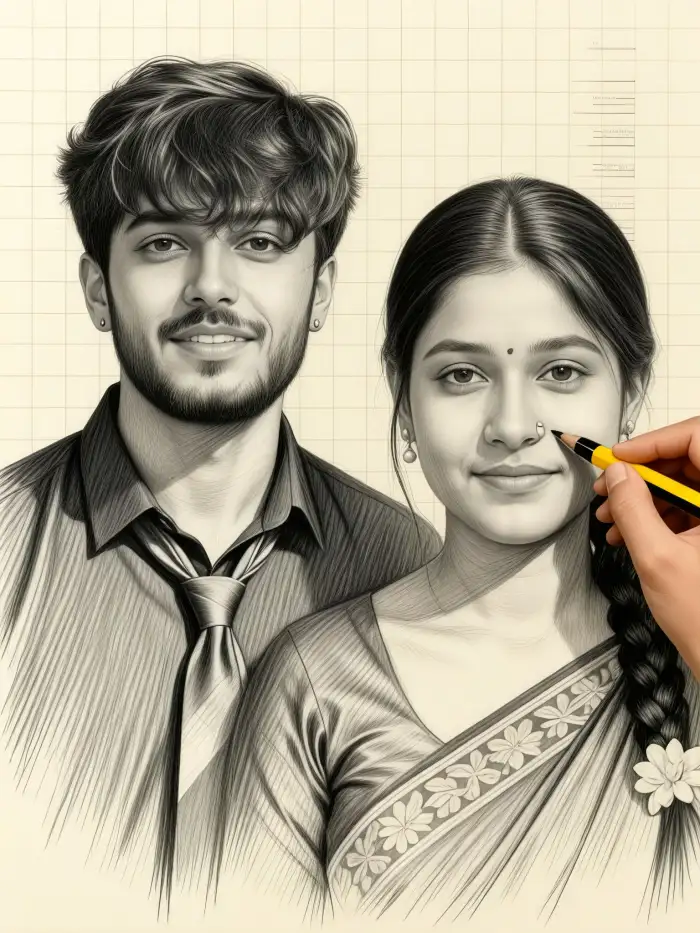
A realistic graphite pencil portrait of a young woman with soft window light, visible pencil strokes, textured drawing paper, gentle smudging around the cheekbones, high detail, 8B pencil shading.
A side profile pencil sketch of an older man, loose construction lines, white paper, expressive hatching, unfinished edges, fine art portrait.
A child portrait in light pencil, delicate outlines, clean paper, minimal shading around the eyes, sketchbook style.
Ink and Pen Prompts
A black ink portrait of a bearded man drawn with fine cross hatching, bold contours, slight ink bleed on cotton paper, high contrast, hand drawn illustration.
A minimalist continuous line ink portrait of a woman, single unbroken line, white background, elegant simplicity.
A dip pen and ink portrait of a dancer, dynamic strokes, splatter accents, sepia ink on cream paper, vintage sketch feel.
Charcoal and Chalk Prompts
A charcoal portrait of a musician, dark background, soft shadows, visible finger blending, rough textured paper, dramatic rim light.
A white chalk portrait on black paper, subtle highlights, expressive smudge marks, portrait from a low angle.
A vine charcoal gesture portrait, loose broad strokes, unfinished hands, toned gray paper, studio sketch.
Watercolor and Gouache Prompts
A hand drawn watercolor portrait of a bride, soft pastel washes, fine pencil underdrawing, wet on wet edges, cold press paper texture.
A gouache portrait of a woman with red hair, flat matte colors, visible brush strokes, bold outlines, fashion illustration style.
A loose watercolor and ink portrait of a street vendor, ink lines with flowing color washes, spontaneous splashes, urban sketch feel.
Colored Pencil and Pastel Prompts
A colored pencil portrait of a girl with freckles, layered strokes on tan paper, warm skin tones, soft blending, realistic detail.
An oil pastel portrait of a grandfather, thick impasto-like strokes, vibrant colors, textured pastel paper, expressive marks.
Digital Hand Drawn Prompts
A digital hand drawn portrait in Procreate style, visible pencil brush texture, soft shading, paper grain overlay, warm light.
A flat vector style hand drawn portrait, clean line art, subtle texture, minimal colors, editorial illustration.
Vintage and Sketchbook Prompts
A vintage botanical sketch influenced portrait, sepia ink, aged paper, delicate cross hatching, antique naturalist style.
A sketchbook page with three small hand drawn portraits, pencil and watercolor, notes in margin, casual study layout.
Minimal and Abstract Prompts
A one line abstract portrait with geometric accents, black pen on white, modern minimalist wall art.
A blind contour hand drawn portrait, wobbly expressive lines, overlapping shapes, pencil on paper, artistic study.
How to Adapt These Prompts for Your Own Portrait
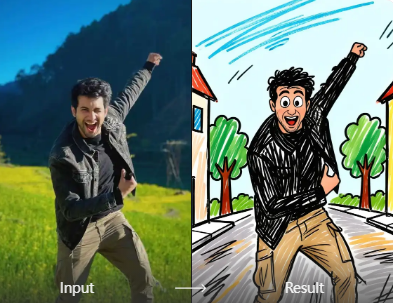
Change the subject words to fit your photo or idea. Replace young woman, older man, or dancer with a specific person such as a woman with a bun and silver earrings, a teenage boy with curly hair, or a grandmother in a garden. Add emotion words like calm, intense, nostalgic, or playful to shift the mood. Change the lighting from soft window light to overcast daylight, candlelight, or studio side light. If you want a self portrait, upload your photo in couplelens and choose an image-to-image workflow, then paste a prompt that describes the hand drawn style while the app keeps your facial features intact.
You can also swap the medium. If a pencil prompt feels too soft, change graphite pencil to charcoal and add heavier shadows. If an ink prompt feels too harsh, switch to sepia ink or add watercolor washes. The surface matters too. Asking for textured drawing paper produces a rougher feel, while smooth bristol paper gives cleaner lines. Keep the medium and surface terms together for a consistent result.
For group portraits, describe each person briefly. For example, a hand drawn pencil portrait of a family of four, the father with short hair and glasses, the mother with a braid, two children with round faces, soft shading, sketchbook paper, warm natural light. Couplelens can handle multi person photos and helps keep faces separate.
Common Weak Results and How to Fix Them
If your portrait looks too photorealistic, add visible hand drawn texture, paper grain, pencil strokes, or ink lines. Photorealism usually comes from prompts that only name the subject. The fix is to name the drawing tool and surface again.
If the lines look messy, specify clean line art, minimal hatching, smooth paper, or a steady contour line. If the shading looks flat, name the pencil grade or tool such as 6B pencil, soft charcoal, or layered colored pencil. For watercolor, add wet on wet and dry brush details to get more depth.
If the style changes across the image, remove competing terms. A prompt that includes both watercolor and oil painting may confuse the model. Pick one medium and one surface. If the face loses likeness in image-to-image mode, reduce the style strength or keep the prompt focused on texture and lighting rather than changing facial features.
Using couplelens for Hand Drawn AI Portraits
couplelens is a mobile app with text-to-image and image-to-image tools. You can paste any prompt from this guide into the text-to-image feature and choose a hand drawn or sketch style filter from the template library. Or upload a photo and apply a hand drawn filter while keeping your subject recognizable. The app is built for quick experimentation, so you can test a pencil prompt, then switch to ink or watercolor without rewriting everything.
Start with the shortest version of a prompt, then add one detail at a time. This helps you see whether the medium, surface, or lighting is causing problems. Download couplelens and use these prompts as your starting set.
Composition and Detail Tips for Better Results
Portraits work best when you direct the composition. Ask for a close up head and shoulders view, a three quarter profile, or a full body seated pose. Negative space around the subject keeps the hand drawn quality visible. For a sketchbook feel, request a page layout with multiple studies or notes in the margin.
Contrast helps. A dark charcoal portrait on white paper has more impact than a mid-tone gray drawing. A white chalk portrait on black paper creates dramatic highlights. For ink, bold contours with fine cross hatching give a classic illustration feel. For pencil, leave some edges unfinished to mimic a real sketch.
Imperfections also sell the hand drawn look. Slight smudges, uneven line weight, visible strokes, and paper texture all make the result feel human. If the image looks too clean, add terms like loose sketch, expressive marks, or unfinished edges.
Start Creating Hand Drawn Portraits Today
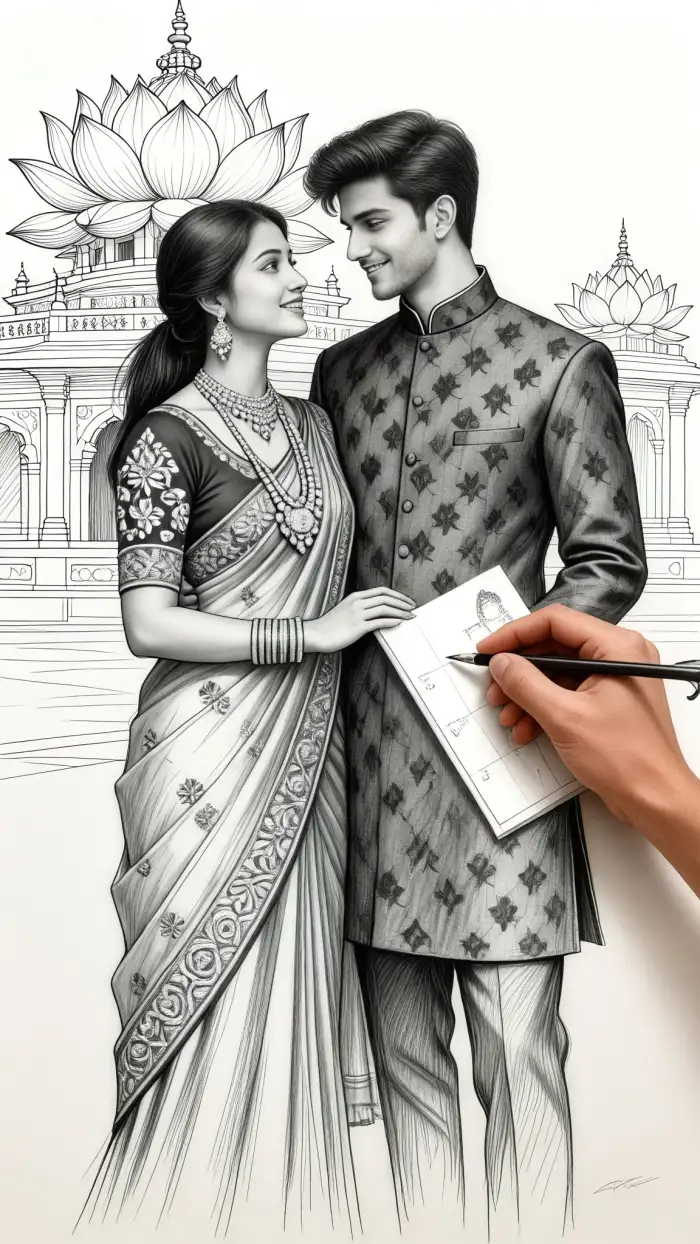
These hand drawn AI portrait prompts are starting points, not rigid rules. Mix a medium with a surface, choose a subject, and describe the light. Test the result, then adjust one phrase at a time. With a mobile tool like couplelens, you can move from a rough pencil sketch to a finished watercolor portrait in minutes. Download the app, paste a prompt, and see what your portrait looks like when it is drawn by hand.