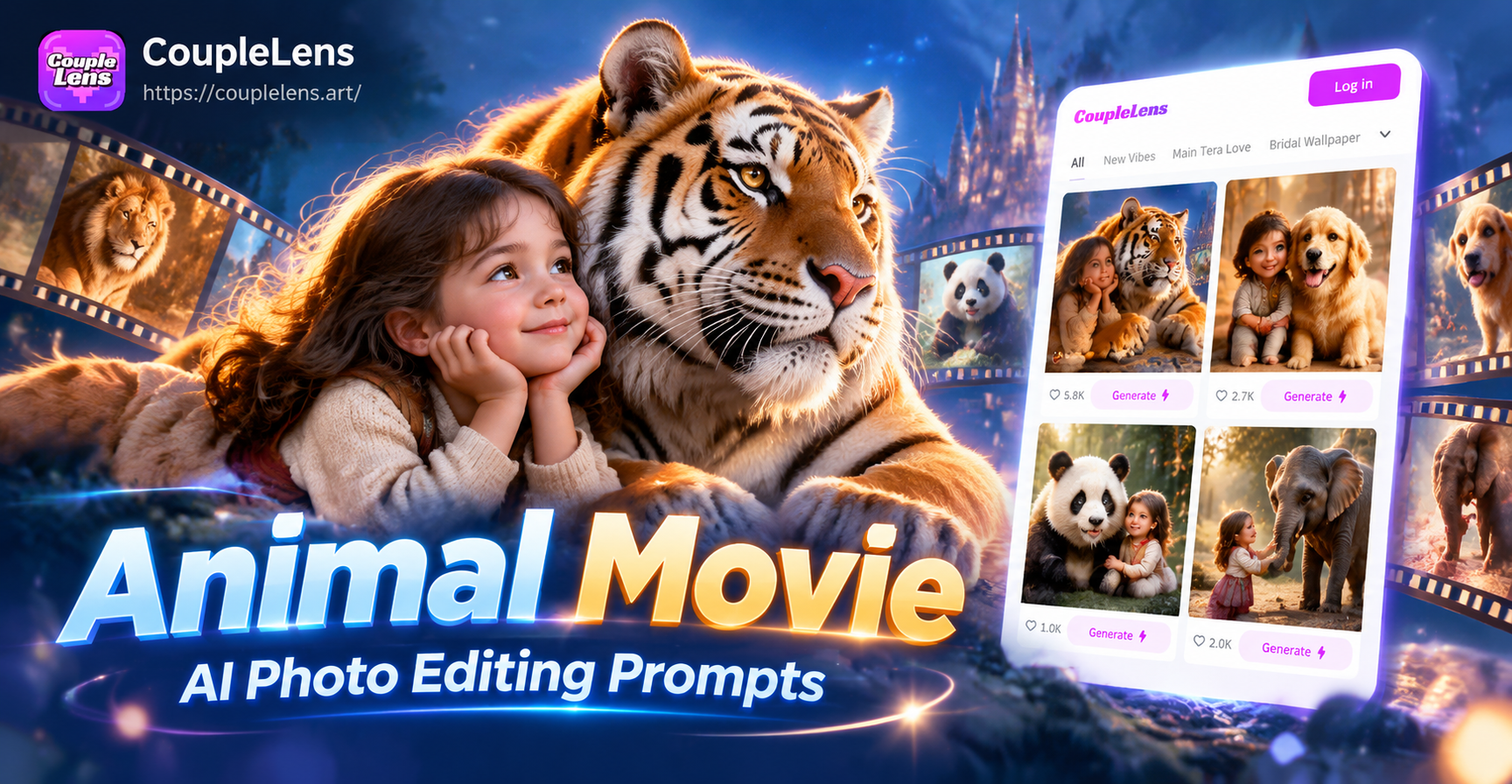
Searching for Animal Movie AI Photo Editing Prompts usually means you want to take a normal photo of a dog, cat, fox, bird, or any other animal and turn it into a scene that looks like it belongs in a movie. The goal can be realistic wildlife drama, animated family adventure, or stylized fantasy. This guide gives you specific prompts you can copy, paste, and adapt inside a mobile AI editing app such as couplelens. You will also learn a simple formula and common fixes so your results look intentional instead of random.
What Makes an Animal Movie AI Photo?
An animal movie AI photo looks like a film still rather than a casual snapshot. It usually includes three things: a clear animal subject, a cinematic scene or action, and deliberate lighting or color grading. The AI needs those clues to move beyond a basic pet portrait. A dog on a couch is a snapshots. A dog on a rain soaked noir street with a neon sign is a movie frame. The prompts below provide those scene clues.
A Simple Prompt Formula That Works
This formula keeps your requests focused:
- Subject: the animal and any breed or species detail
- Movie style: realistic wildlife, Pixar, noir, fantasy, western, etc.
- Scene or action: where the animal is and what it is doing
- Lighting and camera: golden hour, backlight, shallow depth of field, 35mm lens
- Color mood: warm amber, teal and orange, desaturated, vibrant natural
For example, "a golden retriever walking through a wheat field at golden hour, family movie still, backlit fur, lens flare, warm earthy colors" gives the AI more to work with than "make my dog cinematic."
15 Animal Movie AI Photo Editing Prompts to Try
Copy any prompt below into couplelens after uploading your photo. Replace the animal or scene with your own subject if needed.
- Realistic wildlife drama: a majestic lion walking through golden savanna grass at sunset, cinematic wildlife film still, dramatic backlight, shallow depth of field, rich amber and deep brown tones, film grain, 35mm lens.
- Animated family adventure: a golden retriever and a tabby cat on a forest trail, Pixar style animated movie still, warm morning light, expressive eyes, soft shadows, colorful but natural palette.
- Noir mystery: a black cat sitting on a wet city street at night, film noir animal detective movie, hard rim light, fog, deep shadows, teal and orange accent, 1940s cinema atmosphere.
- Fantasy epic: a stag with glowing antlers standing in a misty enchanted forest, epic fantasy film screenshot, cool blue light rays, floating particles, majestic composition, cinematic widescreen.
- Vintage film: a corgi wearing a tiny aviator scarf inside a propeller plane, 1950s adventure movie still, Kodachrome color, soft grain, warm vintage tones, medium close up.
- Science fiction: a rabbit in a sleek silver space suit on a distant alien planet, sci fi movie promotional still, two moons in the sky, cinematic lighting, cool gray and orange palette.
- Warm pastoral: a border collie running through a wheat field at golden hour, wholesome family movie scene, backlit fur, lens flare, warm earthy colors, shallow depth of field.
- Underwater adventure: a sea turtle gliding over a coral reef with small tropical fish, underwater animated adventure movie frame, dappled sunlight through water, vibrant blues and greens, cinematic clarity.
- Comic book style: a caped raccoon hero standing on a rooftop at night, comic book movie poster style, bold ink outlines, halftone shadows, dramatic perspective, saturated primary colors.
- Stop motion claymation: a claymation style hedgehog walking through a tiny handmade forest, stop motion animated movie still, soft studio lighting, visible clay texture, cozy autumn colors.
- Cyberpunk animal hero: a neon lit wolf standing in a rainy cyberpunk alley, dystopian animal movie concept frame, holographic signs, reflective puddles, purple and cyan neon, cinematic wide shot.
- Western: a lone coyote on a desert ridge at noon, classic western film frame, harsh sunlight, dust in the air, warm brown and tan palette, wide anamorphic lens.
- Holiday family film: a fluffy white dog wearing a red scarf next to a snow covered cabin, heartwarming holiday movie scene, soft falling snow, warm window light, cozy red and green palette.
- Horror thriller: a raven perched on a broken fence in foggy woods, dark thriller movie still, low key lighting, muted desaturated color, heavy shadows, unsettling atmosphere.
- Documentary nature: a polar bear walking across ice under a pale Arctic sky, nature documentary film still, long telephoto compression, cold blue tones, crisp detail, cinematic contrast.
To adapt a prompt, keep the movie style and lighting words, then change the animal and scene. For example, you can turn prompt three into "a white bunny sitting on a wet city street at night, noir animal detective movie." Keep the original face by using a clear front facing source photo and the content reference mode in couplelens.
How to Use These Prompts in couplelens
couplelens is a mobile only AI design app available on Google Play. The workflow is simple. Download the app, open the image to image feature, upload a photo of your animal, choose a style template that matches the movie look you want, paste one of the prompts above, and generate. You can try a realistic cinema template, a Pixar style template, or a stop motion template. The app does not require complex prompt engineering, but adding the prompt gives you much more control over the final scene.
Common Problems and How to Fix Them
- Result looks too cartoonish: Remove words like "animated" or "Pixar" and add "realistic film still, natural fur texture, 35mm lens." Choose a realistic photography filter.
- Your pet's face is lost: Use content reference mode. Keep the prompt focused on the scene, not the face. Tell the AI to preserve the original face features.
- Wrong species or breed: Name the breed directly in the prompt. Use a well lit photo that clearly shows the animal's body shape.
- Flat or boring lighting: Add one lighting cue: backlight, golden hour, rim light, soft window light, harsh midday sun, or neon glow.
- Cluttered or confusing result: Shorten the prompt to under 40 words. Remove details that do not affect the scene.
- Wrong aspect ratio: If the app gives you a square image, choose a widescreen or cinematic ratio before generating. Movie stills look more convincing in 16:9.
Final Tips for Better Results
Start with a clear source photo where the animal is well lit and mostly visible. Use one prompt at a time and change only one variable between attempts. Pair each prompt with a matching style template. If you want a realistic wildlife movie, pick a cinematic photography filter. If you want a family adventure, pick an animated movie filter. Download couplelens from Google Play and experiment with the 15 prompts above. You will quickly learn which combinations make your animal look like a genuine movie star.