Tesla Roadster AI Video
Pick a Flying Tesla Filter and Start
CoupleLens ships with six Flying Tesla filters, each tuned for a different viral moment.
Real Tesla Roadster AI Video Looks
The gallery below is a taste of what users post from CoupleLens every day.
How to Create a Tesla Roadster AI Video?
A Tesla Roadster AI video on CoupleLens takes three steps. Download, pick a filter, generate.
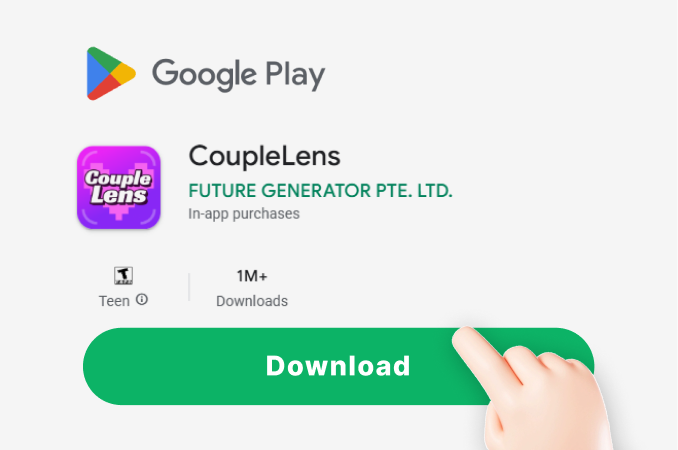
Step 01.
Grab the CoupleLens App from the Google Play Store. The install is small and the App opens straight to the filter library.
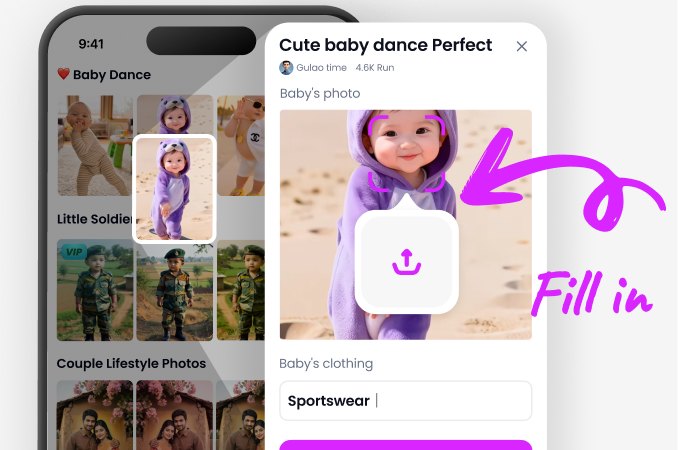
Step 02.
Open the Flying Tesla section in the App. Choose the scene that fits your idea, such as traffic jam, police stop, or cyber night.
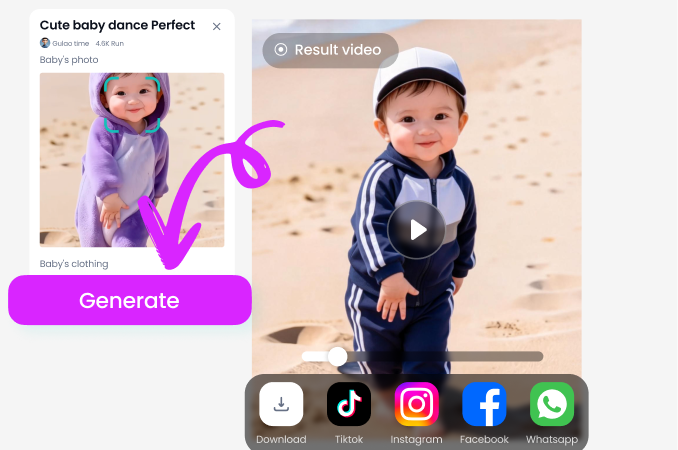
Step 03.
Tap generate and wait about ten to twenty seconds. Preview the Tesla Roadster AI video, then download it or post it straight to your CoupleLens profile.
Key Features of the Tesla Roadster AI Video
Three things make a Tesla Roadster AI video on CoupleLens different from any web tool.
 Before
Character Swap Driver
Upload a single photo of a person, a pet, or a toy, and CoupleLens drops that face into the Roadster driver seat. The facial features stay locked across every frame, so the driver looks like the same person from takeoff to landing. No morphing. No face drift. No frozen mannequin.
BeforeCharacter Swap Driver
Upload a single photo of a person, a pet, or a toy, and CoupleLens drops that face into the Roadster driver seat. The facial features stay locked across every frame, so the driver looks like the same person from takeoff to landing. No morphing. No face drift. No frozen mannequin.
One Tap Stunt Templates
Each Flying Tesla filter is a pre-built stunt template. The camera path, the thruster timing, the vapor effect, the landing pose, all are already scripted. You just choose the scene and the App animates it for you. This is the core of the Tesla Roadster AI video generator flow on CoupleLens.
One Tap Stunt Templates
Each Flying Tesla filter is a pre-built stunt template. The camera path, the thruster timing, the vapor effect, the landing pose, all are already scripted. You just choose the scene and the App animates it for you. This is the core of the Tesla Roadster AI video generator flow on CoupleLens.
Instant Flying Roaster Render
CoupleLens runs the heavy AI render on its mobile pipeline. Most Flying Tesla clips finish in about ten to twenty seconds on a mid range Android phone. You tap generate, swipe to another tab, and the video is sitting in your gallery when you come back.
Instant Flying Roaster Render
CoupleLens runs the heavy AI render on its mobile pipeline. Most Flying Tesla clips finish in about ten to twenty seconds on a mid range Android phone. You tap generate, swipe to another tab, and the video is sitting in your gallery when you come back.
Watch the Filter Flow First
Two short clips that show the full CoupleLens workflow on a phone screen. From the App install to the final shareable Tesla Roadster AI video.
What Our Users Say about CoupleLens
CoupleLens just earned a permanent spot on my home screen.
I tried the cyber night filter on a photo of my own car and the clip was ready before I finished my latte. The thruster timing actually looked right. I posted the Tesla Roadster AI video to my Reels the same night and it pulled more views than anything I had shot with a ring light.
If you want a Tesla Roadster AI video that makes people laugh, this is the App.
My golden retriever is now the official driver of a flying Tesla. I uploaded one photo of him sitting on the couch, picked the traffic jam filter, and CoupleLens dropped him behind the wheel like he had always been there. The face stayed the same in every frame. I cannot stop watching it.
The Tesla Roadster AI video created by CoupleLens is now my most liked post this month.
I am not a car guy. I am not a video guy either. I just saw the flying Roadster meme and wanted in. The Flying Tesla 1 filter in CoupleLens gave me a clean fifteen second clip from one front photo of a friend.
Frequently Asked Questions
Quick answers to the most common questions about making a Tesla Roadster AI video inside CoupleLens. The flow is simple on purpose.
More Topics You May Like
The Flying Tesla pack is one of dozens of viral filter collections inside CoupleLens.

Grok AI Ghibli Style Filter Free to Use on CoupleLens App

CoupleLens AI Food Lotto Filter: Create Random Food Videos Free
CoupleLens AI Long Hair Effect: Watch Your Hair Grow in a Video

Best AI Anime Generators for Photo and Text Art on CoupleLens
Grok AI Ghibli Style Filter Free to Use on CoupleLens App
CoupleLens AI Food Lotto Filter: Create Random Food Videos Free
CoupleLens AI Long Hair Effect: Watch Your Hair Grow in a Video
Best AI Anime Generators for Photo and Text Art on CoupleLens
Make Your First Tesla Roadster AI Video
The Roadster is already in your feed. Get the CoupleLens App on Google Play, open the Flying Tesla filter pack, and ship your first Tesla Roadster AI video before you finish your coffee.
Make Your First Tesla Roadster AI Video
The Roadster is already in your feed. Get the CoupleLens App on Google Play, open the Flying Tesla filter pack, and ship your first Tesla Roadster AI video before you finish your coffee.