Instagram Reel Cover Collage
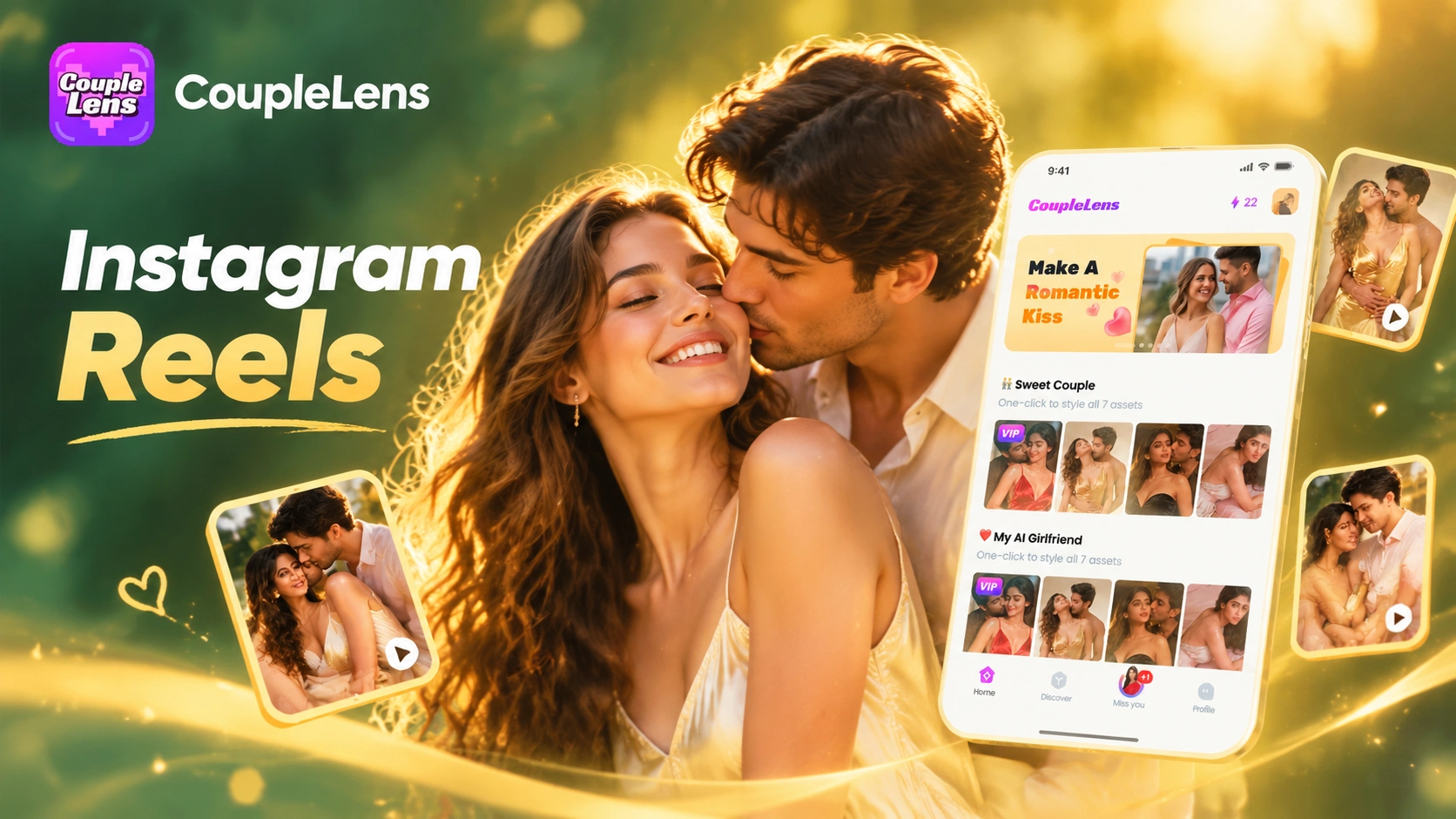
Pick the Filter That Fits Your Instagram Reel Cover Collage
Four filters sit close to this look. Choose a style for your Instagram Reel cover collage before you touch a single slider.
Key Features of the Instagram Reel Cover Collage Maker
Three CoupleLens features turn phone photos into a clean Instagram Reel cover collage. Every panel keeps the same face, the same hair, and the same outfit.
One Tap Filter Workflow
Every Instagram Reel cover collage starts from a filter card, not a text box. Pick a style from the library, upload your photos, and CoupleLens returns the finished cover in ten to twenty seconds.
One Tap Filter Workflow
Every Instagram Reel cover collage starts from a filter card, not a text box. Pick a style from the library, upload your photos, and CoupleLens returns the finished cover in ten to twenty seconds.
Multi Person Face Separation
Upload a group shot, a couple photo, or a friend pile. CoupleLens reads each face, splits the features, and keeps every person readable inside your cover collage. No melted cheeks, no lost subjects.
Multi Person Face Separation
Upload a group shot, a couple photo, or a friend pile. CoupleLens reads each face, splits the features, and keeps every person readable inside your cover collage. No melted cheeks, no lost subjects.
Creating AI images from text lets you create anything in any style without restriction.
Identity Lock Across Every Panel
An Instagram Reel cover collage cover only works if your face looks like you in all of it. CoupleLens locks bone structure, skin tone, hair, and outfit, so the same person shows up in every panel.
Browse Instagram Reel Cover Collage Layouts
Look at the vertical layouts first, then build the same kind of Instagram Reel cover collage with your own photos.
How to Create an Instagram Reel Cover Collage in CoupleLens?
Three moves take you from phone photos to a posted Instagram Reel cover collage. None of them need a prompt.
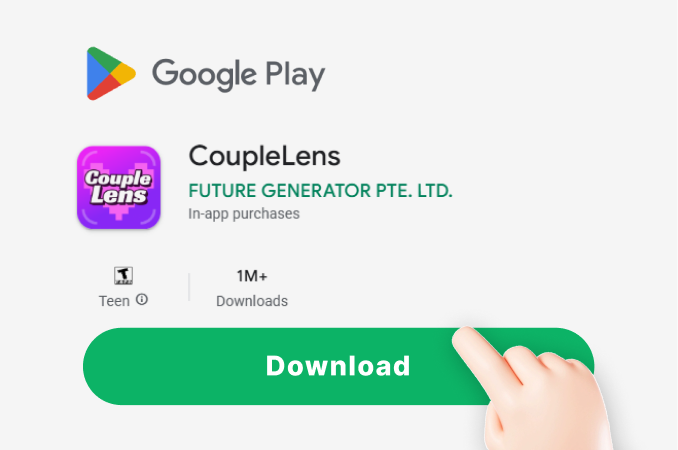
Step 01.
Download CoupleLens from Google Play and open the app on your phone. Search CoupleLens in the Play Store, tap install, and the filters load on the home screen.
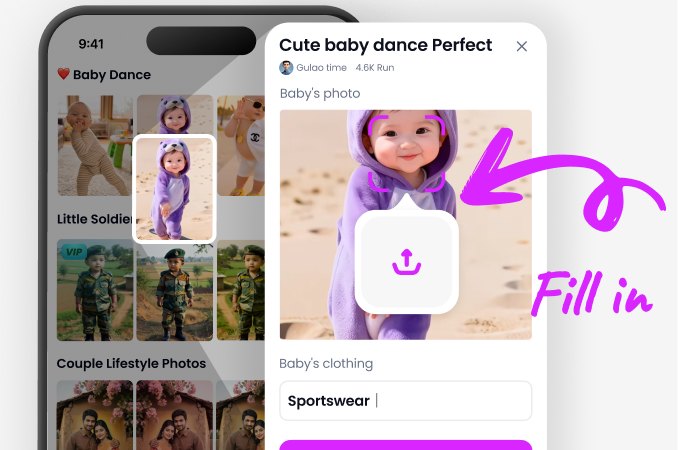
Step 02.
Tap the Filters tab and pick an Instagram Reel cover collage filter. Upload one photo or a group shot, then tap generate. Wait ten to twenty seconds.
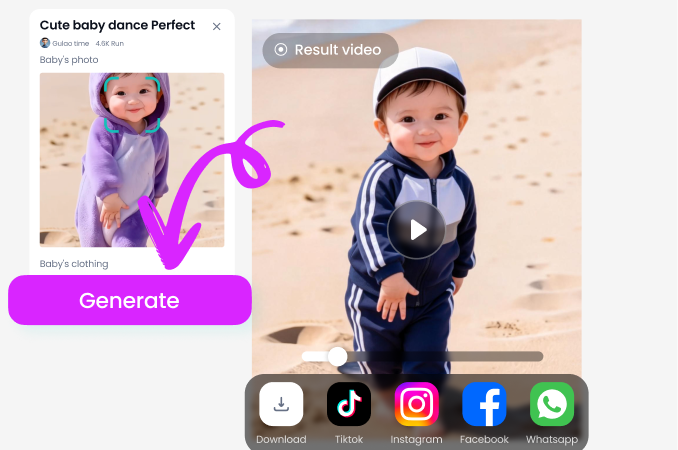
Step 03.
Save the cover to your phone. Open Instagram and tap Next on your reel. Tap Cover, choose Add from camera roll, and check the Profile Grid preview before you post.
Watch an Instagram Reel Cover Collage Come Together
Two short clips show the CoupleLens path to an Instagram Reel cover collage. One covers the Google Play install, the other the filter tap.
What Creators Say about CoupleLens Covers
I use CoupleLens for every reel cover now.
I posted three cover tests in one night. Same photo, three different layouts, and my face looked like mine in every single panel. That is the part that usually goes wrong for me. No editing, no prompt, no waiting.
I tell every influencer client to get CoupleLens first.
My clients wanted a group cover that actually shows all of them. CoupleLens kept six faces straight in one frame. The old tool I used smeared the back row every single time. This one just works.
I build my covers in CoupleLens on the drive home.
I need a cover that looks like a real studio frame, not a poster with random type on it. I picked a filter, dropped in the couple photo, and posted it. Takes me under a minute now.
Frequently Asked Questions
Straight answers about building an Instagram Reel cover collage in CoupleLens, from face handling to render time and posting.
More Topics You May Like
More CoupleLens guides that pair well with an Instagram Reel cover collage. Start with profile photo styles and group shot templates.

Turn Any Photo Into a Wes Anderson Style Movie Poster

Design Stunning AI Place Cards for Any Event

AI Flirty Video: Create Playful Romantic Clips Fast

Action Video: Turn Photos and Text Into Cinematic AI Scenes
Turn Any Photo Into a Wes Anderson Style Movie Poster
Design Stunning AI Place Cards for Any Event
AI Flirty Video: Create Playful Romantic Clips Fast
Action Video: Turn Photos and Text Into Cinematic AI Scenes
Make Your Next Reel Cover a Collage of You
Get CoupleLens on Google Play, pick a filter, and post an Instagram Reel cover collage in about twenty seconds. Your face stays yours in every panel.
Make Your Next Reel Cover a Collage of You
Get CoupleLens on Google Play, pick a filter, and post an Instagram Reel cover collage in about twenty seconds. Your face stays yours in every panel.